Forum Discussion

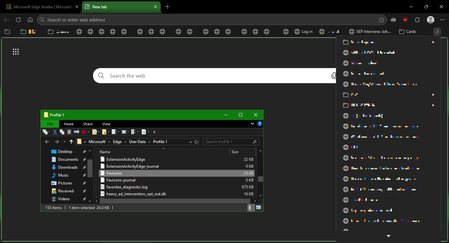
Favicons for bookmarks broken since Edge v149 update
 Jul 03, 2026
📣 Update, 3 July 2026:
✔ As of the latest 150.0.4078.48 update, the missing bookmark icons issue is fixed. You can once-again set "browsing history" to clear each time you close Edge, and icons will remain between sessions. 🥳
✔ As of the 149.0.4022.80 update, these issues were resolved:
• "Create QR code for this page" feature works again
• "Browsing history" in the "Clear browsing data" menu isn't always stuck on "Calculating..."✔ As of the 149.0.4022.62 update, these issues were resolved:
• moving the mouse-pointer to the top of the screen when Edge is in full-screen mode once-again shows the tabs and URL bar, and the double-arrow icon appears once-more to allow exiting full-screen mode;
• when users saved files to network-locations (\\server\share\folder), Edge would not open either the downloaded files, or the folder they were saved into; online reports said the .62 update fixed this

Yes but that post to UNcheck Browsing History ON CLOSE seems to work for now. sooner to later they will fix it. in the meantime once a week clear your history manually.