Forum Discussion

florismkleijne
Feb 24, 2024Brass Contributor
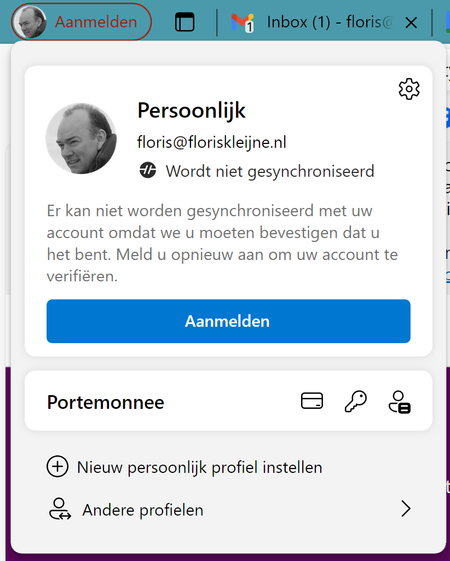
Edge keeps signing me out
Since a week or two, Microsoft Edge signs me out of my MS account. The top left account menu shows orange lettering, and when I click it, it reports that it can't sync because it needs to confirm...
 May 17, 2024
florismkleijne HP Elitebook laptop, Windows 11 (language Norwegian), changed from 365 work account to personal 365 account earlier this year. Login to Windows with personal account. Had this problem with Microsoft Edge signing me out all the time.
Possible solution: Opened Settings, Accounts, Login options, deleted all Hello options (face recognition, finger print and PIN). Recreated these Hello options. I guess there was a connection to my earlier work account in these settings. After restart of laptop there is no problem with Edge signing me out (so far so good day at one). Will report back later this week.

imolol
Jun 02, 2024Copper Contributor
Update: The solution was effective for several weeks; however, my Edge browser is now starting logged out again or logging out randomly during work. I hope Microsoft addresses this issue or provides a workaround soon. It's not critical, but it is somewhat irritating.

florismkleijne
Jun 02, 2024Brass Contributor
Try removing all Windows Hello options. Re-add them after you've found that Edge stays signed in.