Forum Discussion

Edge insider 79.0.309.0 always opens in a new tab page

Could you also mention which option you've selected for Edge startup?
edge://settings/onStartup

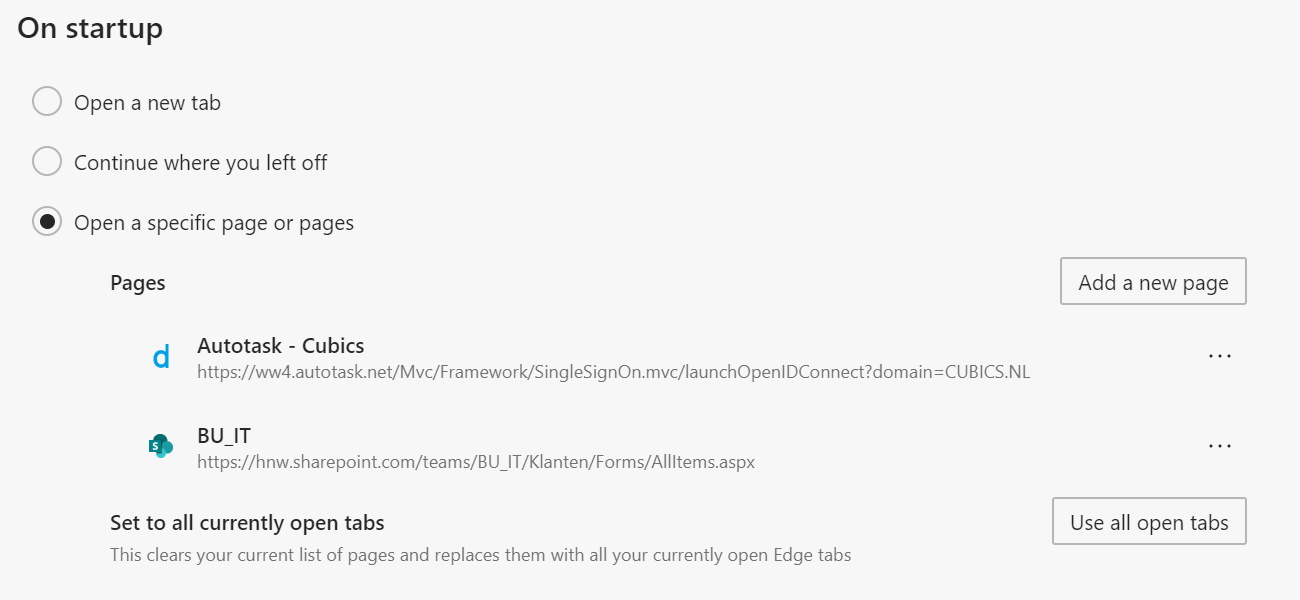
- "Open a specific page or pages", with two pages defined. It opens, on startup, from left to right, a new tab, first defined page, second defined page.
- Elliot KirkOct 23, 2019Former Employee
Hi dmutsaers, can you plesae verify that you have no other Microsoft Edge windows open? If you have another Microsoft Edge window open when you select open New Window, it treats it like a New Tab rather than a new instance of the application. Thanks - Elliot
- dmutsaersOct 31, 2019Iron Contributor
Elliot Kirk It's even worse since yesterdays build (80.0.318.0), now it even starts the "new tab page" wizard multiple times.
 leo007Nov 15, 2019Tin Contributor
I have the same problem since version 80.0.328.4 and also a problem with synchronization of favorites.
- dmutsaersOct 23, 2019Iron Contributor
Elliot Kirk
Dear Elliot,
Thanks for responding. I verified there are no other edge windows open. It doesn't happen on my other profile, where I configured just one page to open on startup.
The attachments show my settings, and the result when Microsoft Edge opens.- dmutsaersOct 23, 2019Iron Contributor
Now it happens when starting my personal profile in Microsoft Edge too, IF I have an open work profile in Microsoft Edge.
If I start my personal profile in Microsoft Edge, without any other Microsoft Edge browser it works as expected.
However, if I start my work profile in Microsoft Edge, the erratic behaviour is exhibited.