Forum Discussion

edge dev bugs

Hi,
it usually shows you content based on your country/IP location.
using proxy or VPN of other countries can have the same effect.
try going to https://www.msn.com/
and change your content and language settings. first sign in and then next to your name click on the small gear icon.
 VertinholSep 28, 2019Copper Contributor
HotCakeX I'm not using a proxy, I live in an Arabic country, I have 2 PCs synchronized with the same account and using the edge dev version, only one of them is having new tab language switch, also I have installed edge since months so why I'm getting that bug now and msn website looks fine.
I never used the Arabic language on any of my old and new devices.
 JohansaSep 30, 2019Copper Contributor
VertinholI assume you sorted it out, so I'm posting for other people with the same problem... Not sure why Edge suddeny decided that, in spite of my Windows language and location being set to English and South Africa, keeps displaying in Arabic?
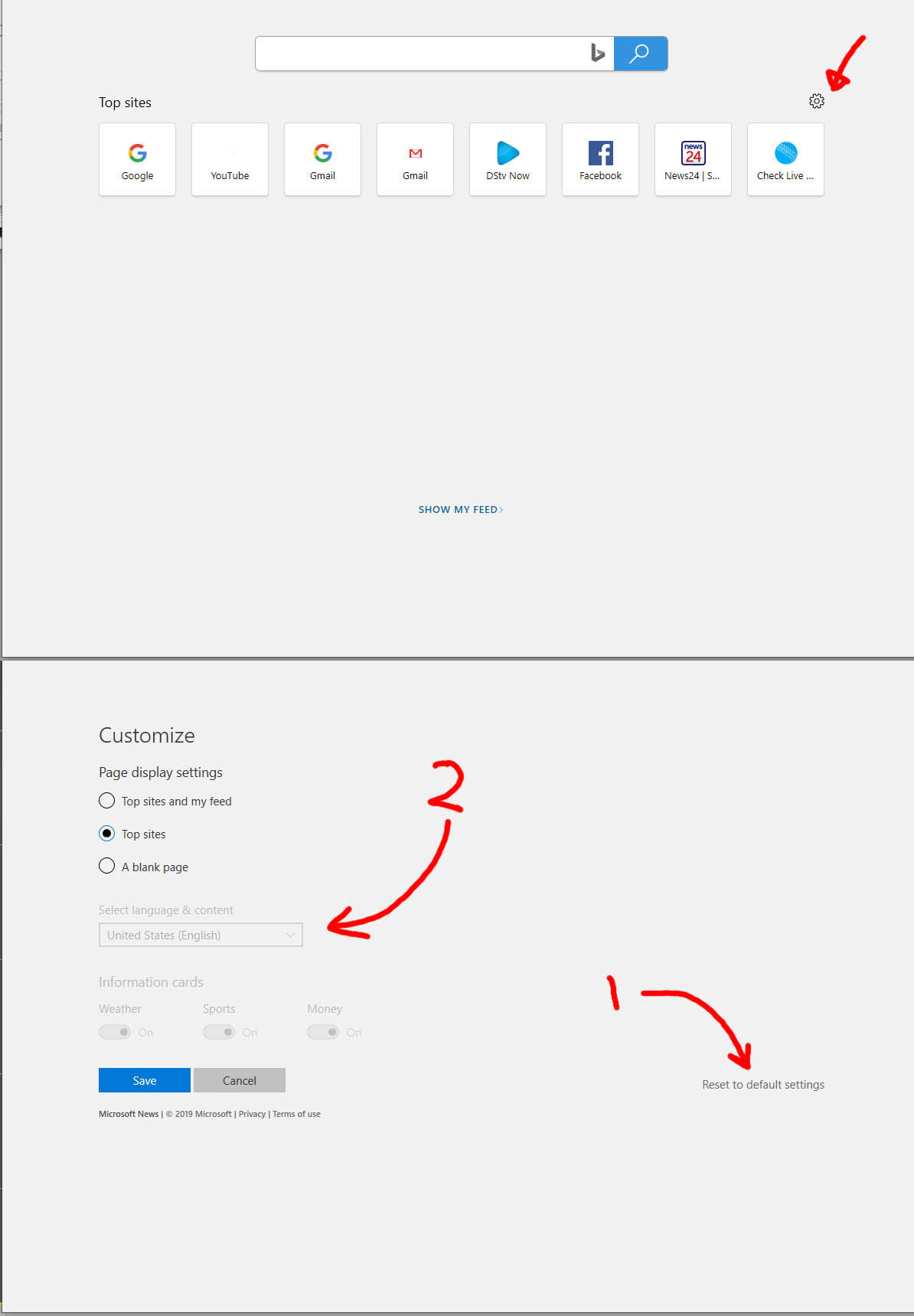
see attached jpg: (this is english, just flip it horisontally obviously!)
- open new tab, click the settings icon (the gear)- 1: click on the "reset to default"
click the blue text box to apply settings
- 2: click drop-down (this one's grayed out, but should be accesible after reset)
select your language and click blue "save" button
That should hopefully sort it out!- VertinholOct 01, 2019Copper Contributor
Johansa thank you for replying, I don't want to reset to default, this will delete many things and it's not worth it, I can wait for an update to fix this, just to add another information to this topic even the tab settings are in Arabic as shown in the image below.