Forum Discussion

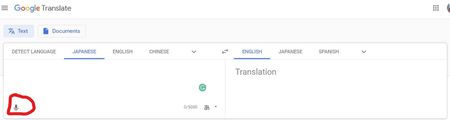
Edge can't use the mic in the Google Translate page
 Jan 13, 2020My guess is that all these Tools use the WebSpeechApi which only works on Google Chrome/Chromium (at least the recognition part) because Google uses it's own cloud servers for the audio transcription. Since the new Edge is basically Chromium it probably thinks that the WebSpeechApi is supported and breaks. The API behaves very strange currently in Edge.

NicolSD You're right, and it really is an issue for me while learning a foreign language with Duolingo. I believe it will also be a problem for some people who need to use voice input, but Windows' speech-to-text doesn't support their native language.
We're in dev channel version 76.0.172.0 now, and this problem still persists.
I did a bit of testing and find out the problem isn't about mic input, but about voice recognition.
For example, if you use an online voice recorder, like the service below, it does work and record your voice:
https://online-voice-recorder.com/
But when you use any voice recognition service, like Google voice search, Google Translate or the speech to text service below, it doesn't work:
https://speechnotes.co/
Both the links above work fine in Google Chrome. I tried changing Edge's user agent to Chrome, and it still doesn't work.
Let's hope Microsoft will fix this issue before the stable version comes out.

Bannykjk775
I have the exact same problem.
I'm certain it isn't a microphone or hardware or driver issue at all.
It seems to only occur when called to a speech to text AI software service.
It also won't work on a microphone voice search on Google com either.