Forum Discussion

GatesLover
Dec 08, 2020Brass Contributor
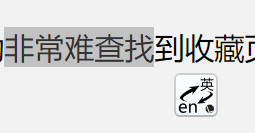
Drive the selected word into searching a specific website by click the tiny icon beside
Well look at this picture when selected one word, a tiny icon appears and when we click the icon we can directly search the selected word in that website! How many such icon depend on users thems...

HotCakeX
Dec 08, 2020MVP
Hi,
you can use this extension, or find other extensions that do the same thing:
https://chrome.google.com/webstore/detail/highlight-to-search/floipahigmmkfhkoapmnijnlnboniglg/related
"directly search the selected word in that website"
that would be CTRL + F or from ellipsis (...) menu, search on page.
to search the web for a highlighted text, using the search engine of your preference: edge://settings/search
right-click and select "search the web for..."
to use sidebar, using Bing engine, highlight the text, right-click, "Search in Sidebar for ...."
not everyone wants to see a popup show up everywhere they click or highlight, and right-click (or on touch screen devices, hold with finger) is Not troublesome or hard at all, it's a normal procedure used in all kinds of software and apps.
that's why there are extensions, so anyone that wants to have a feature, can install the extension and use it, without affecting other people's experience.
you can use this extension, or find other extensions that do the same thing:
https://chrome.google.com/webstore/detail/highlight-to-search/floipahigmmkfhkoapmnijnlnboniglg/related
"directly search the selected word in that website"
that would be CTRL + F or from ellipsis (...) menu, search on page.
to search the web for a highlighted text, using the search engine of your preference: edge://settings/search
right-click and select "search the web for..."
to use sidebar, using Bing engine, highlight the text, right-click, "Search in Sidebar for ...."
not everyone wants to see a popup show up everywhere they click or highlight, and right-click (or on touch screen devices, hold with finger) is Not troublesome or hard at all, it's a normal procedure used in all kinds of software and apps.
that's why there are extensions, so anyone that wants to have a feature, can install the extension and use it, without affecting other people's experience.