Forum Discussion

Couldn't update to latest MS Edge
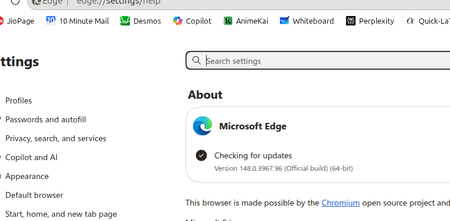

AbhishekMTC : you're using Linux, so unlike Windows you don't update Edge by going into Menu > Help and Feedback > About Microsoft Edge to trigger an update. You need to use the package-manager in your distro (their "app store"), or use the Terminal app (which may be called "konsole" on a KDE desktop).
On a Debian-based distro (Ubuntu, Mint, ZorinOS, elementaryOS), you'd type these commands in order, pressing ENTER after each one:
sudo apt update
sudo apt upgrade microsoft-edge-stable
If you're on a non-Debian distro , it could be either of these commands -- if the first errors, try the second:
sudo dnf upgrade microsoft-edge-stable
sudo zypper update microsoft-edge-stable
If neither of those work, do a web-search for the name of your distro and "command to update package", or look in the equivalent to the "Start Menu" for your distro for some sort of software store.
It might also be that you don't have Microsoft's repository enabled to get the update from. In Ubuntu, there's an app called "Software & Updates" and on the "Other Software" tab, there should be a URL that will have Microsoft inside it. If that's missing or not enabled, that's why updates cannot be pulled-down. I cannot provide the URL to type as the spam bot here will block the comment, but search for it or ask an AI model and they will let you know what to type in.