Forum Discussion

tistou
Jan 17, 2020Bronze Contributor
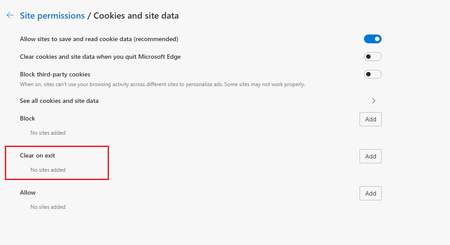
Clear on exit (cookies)
Hello What is this option for ? If I add a site, for example test.com or [*.]test.com If I close Edge and reopen it, the list is empty and cookies are not deleted Thanks

HotCakeX
Jan 17, 2020MVP
Its job is to remembers the URL of the website where the cookies originate from, then whenever you close your browser, any cookies saved on your device from that specific URL gets deleted.
trying on Version 81.0.396.0 (Official build) canary (64-bit)
after browser closing/reopening, the "clear on exit" list is kept intact and the cookies originated from that URL are deleted when i search for it in edge://settings/siteData
so which channel and website you are having problem with?

tistou
Jan 17, 2020Bronze Contributor
Thanks
That's what I thought, but it doesn't work for me
Maybe the "format" of the url that I indicate is not good
I tested with amazon.com, and cookies are not deleted and the list is emptied after I close and reopen Edge
Thanks