Forum Discussion

Cannot use the new edge without triggering my Antivirus.
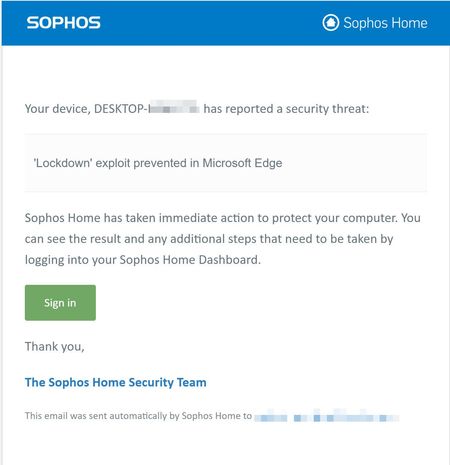

Maybe you tried downloading a malicious file from Edge browser or accessing a malicious URL, could be even a malicious extension,
there is simply not enough info in the picture to tell it,
you better contact Sophos support and let them know about it if they haven't provided any more info. Obviously, Edge itself is not malicious and this is a false alarm.
I'd personally suggest to try a Better Antivirus like Kaspersky, Kaspersky cloud free's Antivirus engine is the best with the least false-positive rate, or use Windows Defender which integrates tightly with Edge, Smart Screen etc.
Update:
after a quick search, found this article
https://support.sophos.com/support/s/article/KB-000039176?language=en_US
it says:
- Web Browsers
- Office Applications
- Email Clients
Some customers have encountered occasions where applications they would consider 'trusted' or legitimate have raised 'Lockdown' exploit detections. These include; but are not limited to:
- Web applications
- Browser plugins
so like I said above, try to remember what you were doing when that happened,
it only means two things:
- user's action resulted in that notice
- Sophos detected a legitimate application as malicious, which is false-positive.
at the bottom of that page there is a link to open a support ticket at Sophos.
 NoblePasimovFeb 10, 2021Copper ContributorHi many thanks for the heads up on the virus killer, unfortunately, it's what my school uses I have no say in the matter.
I have tested the program since and it brings up an alert when I use Nearpod to generate my reports so that I can grade the learners. This works fine on Chrome, Firefox and Brave.- HotCakeXFeb 10, 2021MVPI understand but the problem is with Sophos or Nearpod, not Edge.
if it was with Edge, this forum would be filled with reports of many people and even Edge developers would post official notices about it.
and how come other antivirus software such as Windows Defender and Kaspersky don't show false positive about Edge.