Forum Discussion

Bug in Edge browser on multiple monitors and menu button
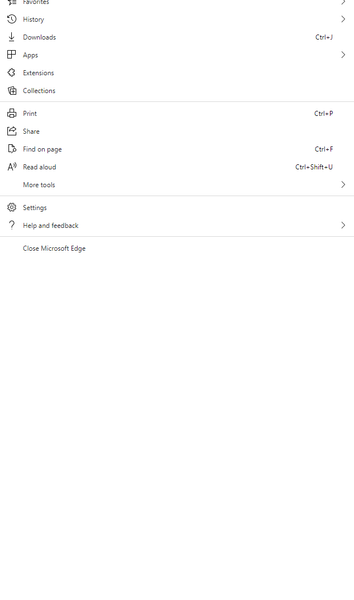

If you or anyone else in this discussion are still having this issue, I have found a solution. Though, I do not know how permanent it is.
I use a Dell XPS 1500 with two 23" Dell monitors connected via Dell Universal Dock. A few months ago, I incidentally solved the problem while disconnecting and reconnecting my displays and was never quite sure what solved it until now. I had to do a complete reset of my computer recently and after reinstalling all my software and applications this problem came back. Here are the steps I recall:
- Change the projection to show only on the PC screen (internal display)
- Physically, disconnect the PC from the docking station
- Restart PC
- After rebooting, connect the PC back to the docking station
- Change projection back to "extend"
I'd like to note that all my preferred display settings (scaling, resolution, main display) were all set prior to following these steps, so I did not have to change anything after the problem was resolved. These steps could also vary depending on how the displays are all connected (docking station, desktop, etc.)
Hope this helps someone.
 ZadanturOct 10, 2022Copper Contributor
I can confirm that this is still an issue.
I am running a Dell Inspirion 16 on W10 21H2, Microsoft Edge Version 106.0.1370.37 (Official build) (64-bit)
The recommended settings for my 3 monitor system (1 is internal, 2 & 3 are Iiyama 27" screens, monitor 2 in the middle being the Primary), is that scaling be set to 100% on the external monitors and be set to 200% on the internal. Dropping the internal down to 100% makes the icons very small, and raising the externals up to 200% makes the icons too big.
In this testing the browser is open on the middle (primary) monitor (screen 2), and the browser window maximised.
If on the recommended settings, opening folders on the favourites bar works until I get about half way across the screen, but those to the right of the bar open on the right screen (Monitor 1)
If I reduce the Scaling on the internal monitor to 175% or 150%, then the favourites folders open normally, but the "Settings and More" menu still opens on the right screen (Monitor 1)
If I match the scaling between Monitor 2 and Monitor 1, then the browser behaves normally and the menu also appears within the browser screen.
The above behaviour also happens with tooltips.
Basically I can have either the scaling that is comfortable to use, or Edge displaying menu's and favourites folders correctly, I cannot have both.
Interestingly, if I reduce the window size for Edge, then the behaviour is dependant upon how far to the right the window is placed. If the right hand edge of the browser is more than about 2/3 of the way toward the right hand screen edge, then the menu appears on the right screen (Monitor 1), but the favourites folders work fine. If I drag the browser right so that one of the favourites folders is more than 2/3 of the way across the screen, then that favourites older also appears on the right screen, but other folders on the bar work fine.
It does seem to be that if the popup would be displayed in the right third of the primary display, then it displays it on the right screen instead. The closer the two scaling ratios are to each other on the screens, the further you can drag the window to the right before the pop-ups display on the right screen.
Also tested using other apps like Outlook, and their tooltips do not demonstrate this problem, so it clearly is an Edge/Chromium thing, and not an OS issue.
Steve