Forum Discussion

Black bar on right when developer tools is opened
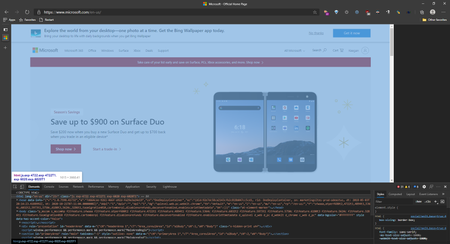

Kam The screenshot was on Windows, but I've observed the problem on both Windows 10 and MacOS. Dev tools is on the right I think by default, but you can pin it to left, right, or bottom, or pop it out into it's own window. Chrome has had that ability for years. Click the 3 dots next to X and select "Dock side" to change that. If it is docked on the right, it covers the bar, so it seems there's some code assuming it's gonna be on the right.

keeganwitt Here's how it looks for me:
Are you asking why it looks black? It's because I enabled a secret flag 🙂
- keeganwittOct 27, 2020Brass Contributor
Kam That's still got the dev tools on the right. What does it look like for you when you dock the tools at the bottom?
I also disabled vertical tabs. That didn't seem to make a difference.
- KamOct 27, 2020Silver Contributor
- KamOct 27, 2020Silver Contributorkeeganwitt How do I do that?
- keeganwittOct 27, 2020Brass Contributor
Kam The 3 dots button to the left of the close button that's on the dev tools. It's a little hard to see in you screen because it's black, but it's there. That's what my second picture shows.