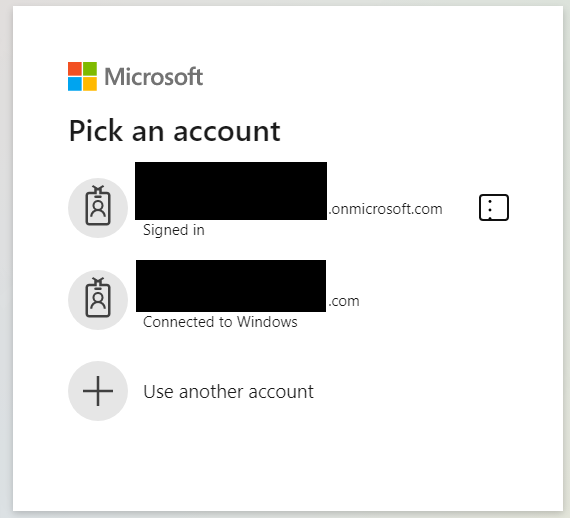
Forum Discussion

Allow removal of "Connected to Windows" accounts from Edge profiles
 Jul 24, 2020
Thanks for the feedback, we've heard this from other users too. Re: the connected to windows accounts, we are working to remove this but since it is cross group collaboration, it may take a while. We eventually would like to just sign you in with the profile account.
Re: Adding an account only to the app, if you select the "This app only" option in the sign in flow where you are asked to manage the device, the account won't be added to the computer and nor will your device get managed.

 Microsoft
 Jay_Libove_FeMay 19, 2026Brass Contributor
2026 and this is still a problem. Like others who have posted here, I have several Microsoft accounts linked to a Windows 11 PC: my ancient personal Microsoft account (Hotmail), my own Microsoft professional (MS365 Business Premium) account, my MS365 account's Admin role, a couple of MS365 Tenants for whom I'm the consultant, and a couple of consulting customers who also happen to use MS365 and have created identities for me in their MS365 services.
Every. Single. Time. after a bit of idle time I access a Microsoft cloud page (especially MS365 admin pages across the many services) I get the account picker. It should default to the last MS identity that had (re-)authenticated in that browser TAB (with an account menu option within each MS page to switch MS accounts or logout).
- DanielNiccoliNov 17, 2023Steel Contributor
dloderThat is not a fix. That's an entirely different new feature. I don't want to be signed into my browser. I want a blank profile that is not connected to anything. Not to Windows. Not to Edge. Only websites.
A proper fix is removing this stupid "Connected to Windows" without additional requirements like having to sign into the browser.