Forum Discussion

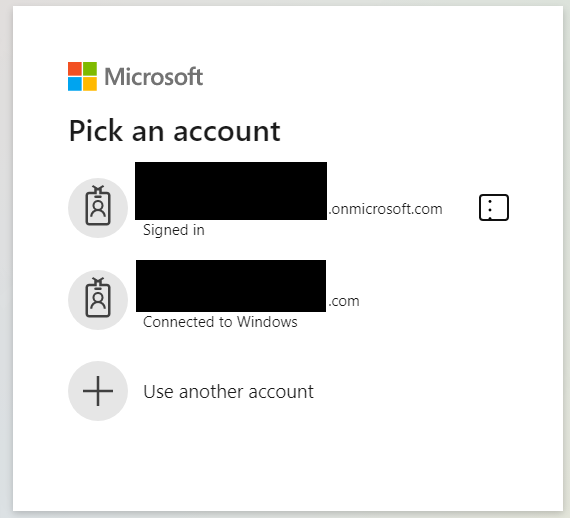
Allow removal of "Connected to Windows" accounts from Edge profiles
 Jul 24, 2020
Thanks for the feedback, we've heard this from other users too. Re: the connected to windows accounts, we are working to remove this but since it is cross group collaboration, it may take a while. We eventually would like to just sign you in with the profile account.
Re: Adding an account only to the app, if you select the "This app only" option in the sign in flow where you are asked to manage the device, the account won't be added to the computer and nor will your device get managed.
Thanks for the feedback, we've heard this from other users too. Re: the connected to windows accounts, we are working to remove this but since it is cross group collaboration, it may take a while. We eventually would like to just sign you in with the profile account.
Re: Adding an account only to the app, if you select the "This app only" option in the sign in flow where you are asked to manage the device, the account won't be added to the computer and nor will your device get managed.

I have one profile which is my main profile where I am logged into the right things - like f.e. a 365 account, a work account. the other profiles are for different needs and are disconnected from any profile (google) accounts as this is neither needed not wanted.
- one with an empty setup, few bookmarks in the bookmar bar for recording educational videos
- one where specific extensions are loaded. While I am usually logged into chatgpt there is one extension which is useful (Aiprm) but has an obnoxious logo. I have one profile just for that when I quickly want to access that. I have another for extensions I use for research which make the browser slow, so I only start that profile when I need them.
- 2-3 others all signed in for different account types into social networks (I have separate ones for projects, also f.e in german / english) with different settings. Starting these I know I am signed into these accounts and I can work on the project without having to log in or out in these networks.
- one for a publishing workflow - bookmarks and textexpander settings are made for that workflow
- another profile setup for gaming - the bookmarks and bookmark bar are chockfull of all the links I need for that game
The normal user may never use more than one profile. But the people who do usually use it for something similar like I do.