Forum Discussion

*Updated 9/3* Syncing in Microsoft Edge Preview Channels
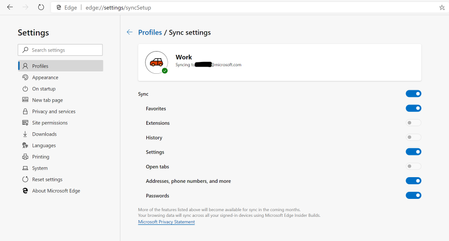
 May 18, 2019
Hi All,
We have rolled out a fix to the problem where clients were reporting error on sync. We expect an app restart should get the client back into a functional state for sync now. We so much appreciate your patience and willingness to help all this while. Apologies that it took us time to get this fix across to you. If you still see any errors, please submit using in-app feedback button (and drop me a private message so that we jump on it faster). Sincere thanks for working with us on building a better product.
Ankur
CC. @Mike_BNL , @DiggsMcGee , @bassoprofundo , @indospot , @Stephen Berard , @billbyrnes

How can i reset or delete all the synced data in new Edge Chromium? I have a sync problem which relates to the bookmarks, so i want to clear all data which is snyced in the cloud, but i found no option or something else. Is it possible and if yes how? Or what can i do to clear all the synced data?

opa114 wrote:How can i reset or delete all the synced data in new Edge Chromium? I have a sync problem which relates to the bookmarks, so i want to clear all data which is snyced in the cloud, but i found no option or something else. Is it possible and if yes how? Or what can i do to clear all the synced data?
Hi,
- sign out of any other Edge insider browsers that are connected to the same Microsoft account that you are using and only keep one Edge insider browser signed in.
- in that one browser, delete everything that you want (bookmarks, passwords etc) and let it stay connected to the Internet to sync all the changes back to the server, wait at least 1 hour.
- after that try signing into your other Edge insider browsers again and the changes should be seen on all of them.
in case it doesn't work, try step 1 to 3 again but on step 1, after signing out of other browsers, fully uninstall them as well (choose delete user data during uninstall process)