Forum Discussion

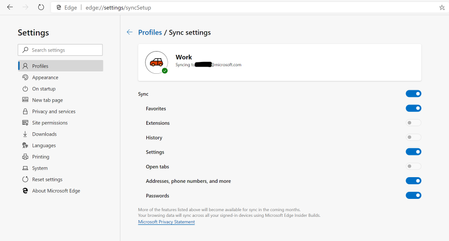
*Updated 9/3* Syncing in Microsoft Edge Preview Channels
 May 18, 2019
Hi All,
We have rolled out a fix to the problem where clients were reporting error on sync. We expect an app restart should get the client back into a functional state for sync now. We so much appreciate your patience and willingness to help all this while. Apologies that it took us time to get this fix across to you. If you still see any errors, please submit using in-app feedback button (and drop me a private message so that we jump on it faster). Sincere thanks for working with us on building a better product.
Ankur
CC. @Mike_BNL , @DiggsMcGee , @bassoprofundo , @indospot , @Stephen Berard , @billbyrnes

- HotCakeXOct 21, 2019MVPHi,
I can use sync on Windows 8.1 but if it's greyed out for you it means your organization has disabled that via group policy i think.
you can see which policies are being applied to your browser if you type this into your address bar:
edge://policy/- akhatorOct 21, 2019Former Employee
HotCakeX We recently fixed bugs which were leading to incorrectly showing of the message that organization has turned off sync. Please update to the latest clients. Also note that currently Edge sync for AAD accounts will be only available to subscriptions that include
- AAD P1 and P2 with ESR enabled via Azure AD portal
- AIP P1
- Office 365 E3 and above
Thanks again for your patience and support in making Edge sync more reliable.
 e_rottierNov 06, 2019Tin Contributor
akhator Hi Ahkator,
I was wondering about the E3 license.
E3 is using the 'AAD Free' version. (according to what difference between Azure Ad premieum P1 and office 365 E3 )
You state that sync is enabled on E3 and above.
So does this mean it's not enabled for AAD free, excluding E3 and above?
Before 04-nov-2019 I had v78, now it's 79..?.., and sync was greyed out for my E3 user. Now it is possible to sync, only it's stuck at 'Setting up sync'.
Update:
Now, on 06-nov-2019 I have updated again (new logo
 - nice!) and sync is disabled again...
(Version 79.0.309.12)
Edit: I was wondering. You also said that 'All the right teams inside Microsoft are working together on this', does this mean it's a technical issue or an organisational one? (or both)
