Forum Discussion

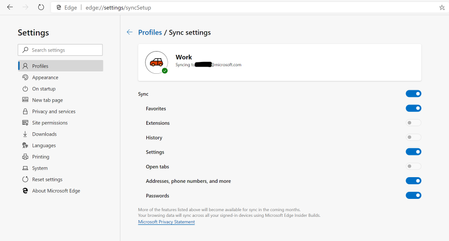
*Updated 9/3* Syncing in Microsoft Edge Preview Channels
 May 18, 2019
Hi All,
We have rolled out a fix to the problem where clients were reporting error on sync. We expect an app restart should get the client back into a functional state for sync now. We so much appreciate your patience and willingness to help all this while. Apologies that it took us time to get this fix across to you. If you still see any errors, please submit using in-app feedback button (and drop me a private message so that we jump on it faster). Sincere thanks for working with us on building a better product.
Ankur
CC. @Mike_BNL , @DiggsMcGee , @bassoprofundo , @indospot , @Stephen Berard , @billbyrnes

dylanstaley, it is my understanding that if you have an Office 365 account, and are on Windows 10 latest, or MacOS latest, sync should work for Favorites and Settings. Thanks - Elliot

Elliot Kirk Could you clarify the requirements for syncing with a work account? In the post, it's mentioned that AAD accounts need a premium subscription with Azure Information Protection. It looks like Office 365 Business Essentials doesn't include this feature. I can add Azure Information Protection for $2/month, or Azure Premium P1 for $6/month. Can you let me know which one I need to have? Also, is this a temporary requirement or will an additional charge on top of the base Office 365 cost always be required to sync Edge?
- akhatorSep 11, 2019Former Employee
dylanstaley You only need to add Azure Information Protection P1. That will allow you to enable sync in Edge. For now, you will have to bear this additional cost to get Edge sync for your work account. We are exploring others approaches here to simplify our enterprise sync offering but have no specifics that we can share currently. Thanks again for reaching out.
 e_rottierOct 08, 2019Tin Contributor
akhator Please loose the Premium requirement for sync!
I was unpleasantly surprised when I could sync with my personal account, but could not with my O365 account.
If I let all my clients make a free outlook.com account purely for sync, it works. If I buy Office 365 and use those accounts, I get (sync-)limited. That's a weird situation, isn't it? Why would it be limited anyway? If you'd like to lock something behind a paywall, do it with extra features instead of making free stuff unreachable for paying (but not extra paying for Premium) customers.
Free sync for everyone! 🙂
