Forum Discussion

*Updated 9/3* Syncing in Microsoft Edge Preview Channels
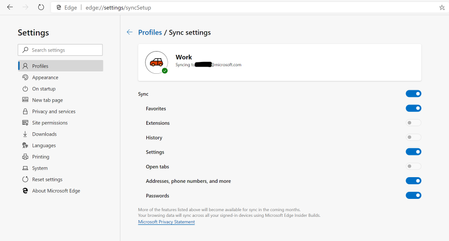
 May 18, 2019
Hi All,
We have rolled out a fix to the problem where clients were reporting error on sync. We expect an app restart should get the client back into a functional state for sync now. We so much appreciate your patience and willingness to help all this while. Apologies that it took us time to get this fix across to you. If you still see any errors, please submit using in-app feedback button (and drop me a private message so that we jump on it faster). Sincere thanks for working with us on building a better product.
Ankur
CC. @Mike_BNL , @DiggsMcGee , @bassoprofundo , @indospot , @Stephen Berard , @billbyrnes

Elliot Kirk I had some trouble getting this to work but it's synced correctly now.
My trouble occurred due to being logged in with both my personal and work accounts on Edge for Android. While logged in to both accouts, on the Account screen my work account page showed the text SIGNED IN TO MICROSOFT EDGE AS. I have no favorites on this account and am not running Edge Dev on that account - it's my personal account I wanted to sync.
Only my personal account page had the Sync option, and tapping it revealed both the Microsoft Edge and Microsoft Edge Insider Channels options, but tapping the latter did nothing as if it was greyed out.
I tried removing my work account but still could not tap the Insider Channels option on my personal account. I tried removing my personal account but it would not disappear from my list of accounts. I ended up going to my Android settings and clearing the cache and all data from that app to revert it to its fresly installed state.
I then logged on with only my personal account. The account page still did not say SIGNED IN TO MICROSOFT EDGE AS, but the Sync option now let me tap Insider Channels. I did so and shortly thereafter my favorites began to sync.
I've now re-added my work account and it again says SIGNED IN TO MICROSOFT EDGE AS. I don't know whether favorites I add in the future on my personal account will be synced to my Android.
Furthermore, when I open a new tab on Edge on my Android, my account icon at the top left corner displays a white circle in the corner with a briefcase icon. I presume this means it is logged on as my work account. I'd like to be able to choose which of my two accounts is the primary, or currently selected, account.

- demodulatedMay 03, 2019Tin ContributorMy pleasure. If I can provide additional detail please let me know. Edge is a great browser and it's a privilege to influence an improvement!