Forum Discussion

 Microsoft
Introducing web capture for Microsoft Edge
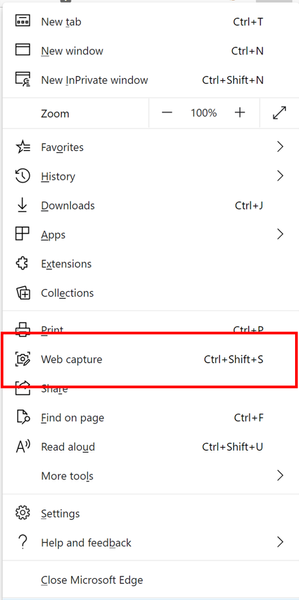

Vyankatesh_Gadekar This is a really great web capture, it surpasses Screen shot, as it includes the entire page with like you said includes scrolling in the capture. I know its been said, but I have to say I like and I'll use. Yall are great

WITH ALL THIS DISCUSSION ON WEB CAPTURE, HAS ANYONE FIGURED OUT WHERE THEY STORE THE FILES CAPTURED, AS THAT WOULD BE NICE TO POINT OUT, AND SAVE HOURS OF SEARCHING.
 Vyankatesh_GadekarJul 06, 2022
LARRIE_COLE your captures are saved the same way as any download from the browser. In the default downloads folder or the folder that you chose while saving.
- LARRIE_COLESep 29, 2022Copper ContributorTHATS THE PROBLEM, THEY SHOULD END UP BY DEFAULT IN DOWNLOADS FOLDER, THEY ARE NOT. SO, ITS A MATTER OF SEARCHING THROUGTH HIDDEN FILES. TO TRACK THEM. AND THEY MOVED .
- LARRIE_COLEJul 07, 2022Copper Contributor
Vyankatesh_Gadekar SEEMS I FOUND MY OWN ANSWER THANKS. LOCATION OF WEB CAPTURE FILES ARE AS FOLLOWS: MicrosoftEdgeDownloads\5838b789-40c0-4698-adf3-f983161aa8fd
who new this would be so simple. this is a hidden file under apps.
- LARRIE_COLESep 27, 2022Copper Contributor
getting back, that did not last long, web capture files are a pain to track and move. LARRIE_COLE