Forum Discussion

 Microsoft
Introducing web capture for Microsoft Edge
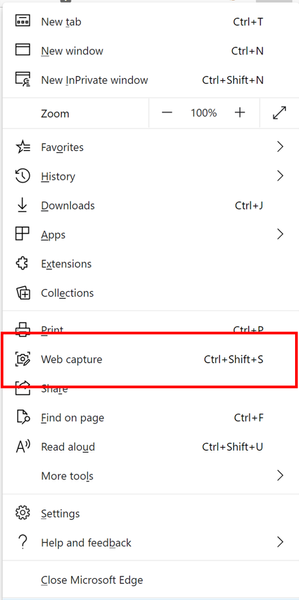

Love this feature. It captures the page as selected. But I noticed that if the browser is not in full screen mode and the bottom of the less than full screen is not visible, it will not scroll. (at least not for me). IF I then drag the window to the top of my screen or enlarge to full screen it works as advertised. Might be user error on my part. But if this can be resolved by maybe holding down the ALT key while scrolling it could force the scrolling regardless of the position of the bottom of the browser window.
Other than that, great work.
 Microsoft
m_a_r1365 great to hear that you liked the feature. I tried capturing few pages when Edge is not full screen and it worked for me. Was this any website specific? Anything in particular that I may have missed?
- m_a_r1365Oct 03, 2020Copper Contributor
It showed itself only when the lower portion of the window was below the screen display. If I pulled the window up so that it was fully in view on the monitor it worked. Or if I changed the window to full screen mode. I could only drag the grayed out to the bottom of the screen itself and not to the bottom of the window I was trying to capture. It does this regardless of web site. Including the tech community site here. On fix might be a key combination that would simply capture the full window (Like ctrl-A captures all text). Or something similar. Just a suggestion that would benefit those who are working in multiple windows capturing and pasting from one window/program to another it would negate the need to keep moving windows around or having to maximize and then minimize the browser each time a screen capture as needed.
- Vyankatesh_GadekarOct 04, 2020I will investigate this mouse behaviour further but would also like to inform you that we are going to add the keyboard support for selecting your capture soon. That would also help.
- Mike GlennOct 08, 2020Steel Contributor
Vyankatesh_Gadekar wrote:
I will investigate this mouse behaviour further but would also like to inform you that we are going to add the keyboard support for selecting your capture soon. That would also help.Vyankatesh_Gadekar , I have the same issue (Web capture doesn't scroll down when I drag the selection area down to or below the bottom of the Web page). Looking forward to alternatives such as down arrow on the keyboard or mouse scroll wheel to expand the selection area when dragging doesn't work.
