Forum Discussion

Vyankatesh_Gadekar Microsoft
Sep 28, 2020MicrosoftIntroducing web capture for Microsoft Edge
Since the release of the new Microsoft Edge, we have heard a lot of feedback about missing the web notes tool that allowed you to capture and mark up content across the web. Frankly, we’ve missed it ...
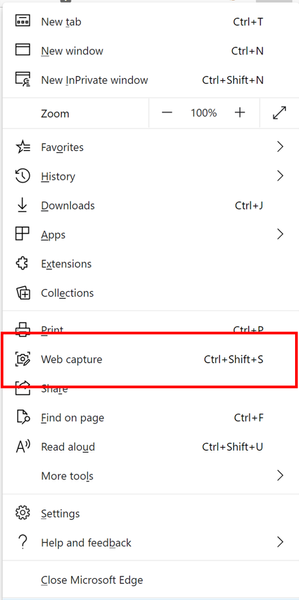

skisouth
Oct 02, 2020Copper Contributor
sorry, I can't see it - the Copy and Preview menu after doing the webcapture!
I click on web capture, the content of the screen greys over, my cursor changes to a plus, I click again to capture the greyed out area, and nothing happens
 Vyankatesh_GadekarOct 03, 2020
skisouth on the greyed out screen, you need to drag your mouse to select the area you want to capture. Did you try that? Clicking would dismiss the screen.
- skisouthOct 03, 2020Copper Contributor
Vyankatesh_GadekarThanks, but Seriously? Thats a very counter intuitive UI for me.
Area is highlighted, I click on it to approve capture, end of story!
All I wanted to do was capture the entire page the browser was presenting, not faff around selecting an area or scrolling my way down a page.
- Vyankatesh_GadekarOct 04, 2020As the post mentioned, we are adding the explicit action to capture full webpage. That is coming soon. But we wanted to keep the default mode of selection similar to how most screenshot tools do. Hence the crosshair cursor as well.