Forum Discussion

Vyankatesh_Gadekar Microsoft
Sep 28, 2020MicrosoftIntroducing web capture for Microsoft Edge
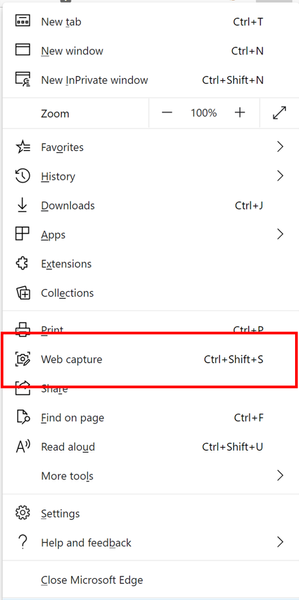
Since the release of the new Microsoft Edge, we have heard a lot of feedback about missing the web notes tool that allowed you to capture and mark up content across the web. Frankly, we’ve missed it ...

Reza_Ameri-Archived
Sep 29, 2020Bronze Contributor
This is helpful feature , it would be nice to have option like open Snipping Tools or Snip & Sketch tools and there we have some additional options for editing.
In addition, this could have same options as Snip & Sketch tools since it has similar requirements.
 MartinJoyce67Sep 29, 2020Tin Contributor
I agree - make it part of Snip & Sketch - why reinvent the wheel. The Share is a couple of extra unnecessary steps
- HotCakeXSep 29, 2020MVPThere are reasons for that:
Snip & Sketch isn't available on other OSes such as Linux and Mac which are target platforms for the new Microsoft Edge.
Snip & Sketch doesn't support taking screenshot of a web page while scrolling down which is super useful. Snip & Sketch only can take screenshot of that is displayed on the screen.
also if they bring back all the features from Edge legacy, there's gonna be sticky notes and ability to type on capture, none of which are available on Snip & Sketch.
so yeah that's enough reasons to develop this into Edge.- MartinJoyce67Sep 29, 2020Tin Contributor
HotCakeX So develop Snip & Sketch for the other OS's and platforms like they are for Edge... perhaps as a feature set of Sticky Notes. Better than having multiple apps. Still waiting on them making sense of all their Task Management apps which are inconsistent at best.
 Migue333Sep 29, 2020Iron ContributorThere's a way to do that. There's a share button on the capture preview. Just share it to the snip & sketch app and done.
- HotCakeXSep 29, 2020MVPThat's a good point. actually, with this method I can save it to OneNote as well, think of it as OneNote integration that I was looking for. thanks 🙂
