Forum Discussion

WVD Issue -Explorer Constantly Crashing and Restarting
 Jul 15, 2020
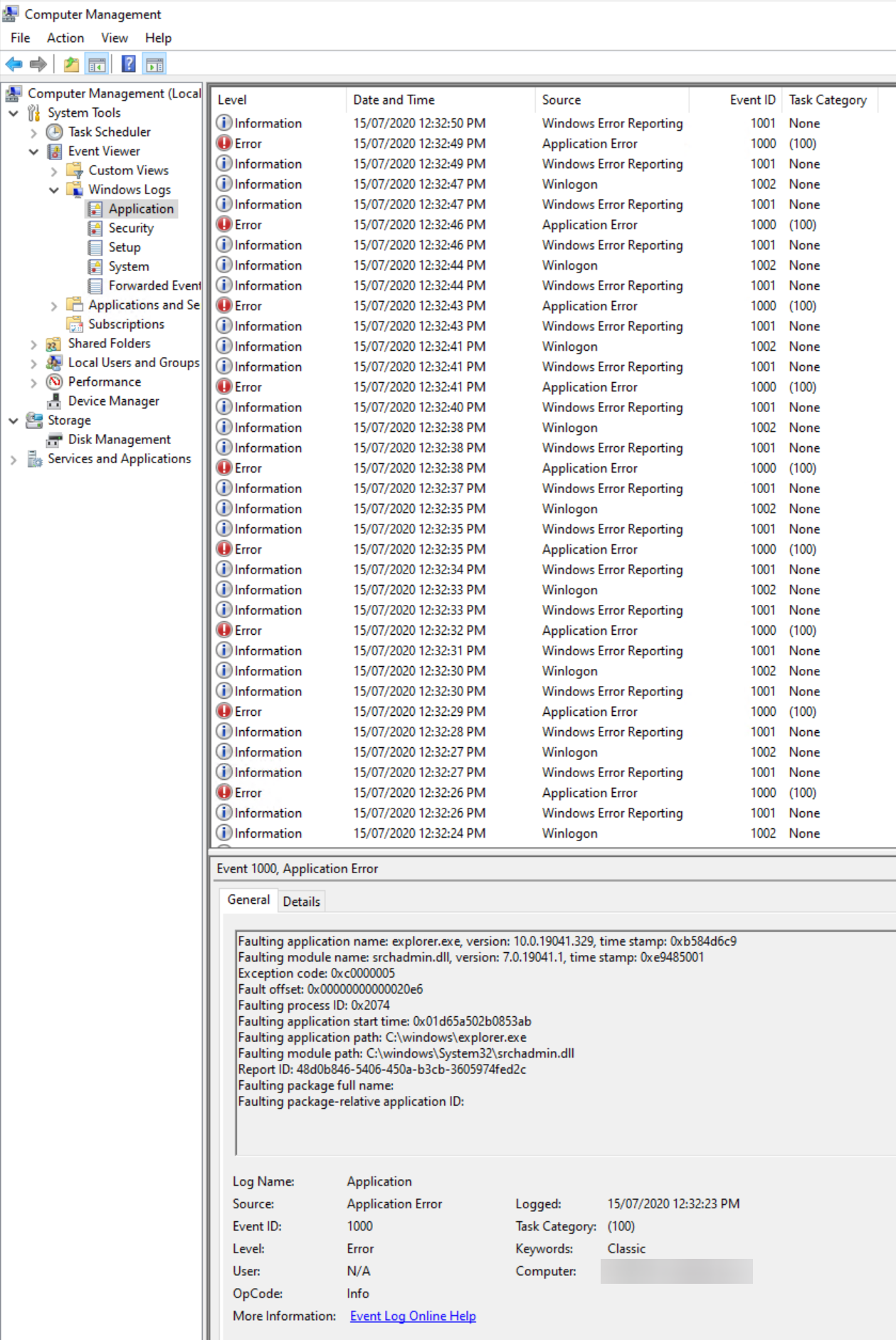
Mark Aldridge Hi Mark, I'm seeing the same issue occur every now and then. It's caused by the Windows Search service. If you restart this service the issue stops (you don't need to restart the host and you can restart the service with everyone else logged on).
I've had to created a scheduled task to restart this service at logon. Far from ideal though. I assume it's yet another bug in Win10 2004...
On top of a major bug in FSLogix (which breaks OneDrive Files on-Demand) I'm getting pretty fed up with Microsoft right now.

Hi Pieter,
Do you got any update regarding this issue? Just saw the same behaviour with the Windows 10 Enterprise multi-session, Version 2004 + Microsoft 365 Apps image from the gallery.
This is not acceptable for any production environment at the moment!
With kind regards,
Stefan Dingemanse

SDingemanse we'll need more information. As you can read in this thread there are multiple potential causes for this issue, not directly related to WVD but Windows in general. If I deploy this image I'm not seeing the issue so we'll need a CSS support care to get to the bottom of this.
 Dale HayterSep 15, 2020Copper Contributor
Also seeing the same thing. Brand new 2004 farm created. 4 servers. All exhibiting the same issue. Search service causing the explorer.exe to crash. If I restart the service then the user logs in ok and works.
 ryanjewellukSep 16, 2020Copper ContributorWe experience similar on 2004. Explorer crashes resolved by restarting the search service. We also get sporadic slow performance in explorer as well as opening office docs from OneDrive/Sharepoint libraries. Slow performance can be seconds or minutes, during longer issues if we restart the search service normal performance resumes.
- PieterWiglevenSep 21, 2020Former Employee
This specific issue only impacts Windows 10 Enterprise/multi-session version 2004 and the fix is currently scheduled for release in the third week of October.
In that third week of October - if you manually click the “Check for Updates” button you will get it. If you won't check manually, you’ll receive this bugfix in November's Patch Tuesday (second week of the month).