Forum Discussion

Windows App Multiple Work Accounts
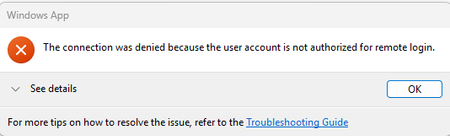

Windows App supports multiple work accounts, so adding your privileged account is supported. However, AVD requires the same identity for service authentication and session-host sign-in. Discovering a desktop as one user and signing into Windows as another is not supported.
In Windows App, select the intended account through the top-right profile menu, then launch that account's desktop. Test again after signing the regular account out of the app, without disconnecting Windows from your organization.
Have your administrator check which identity reaches the session host and whether SSO is enabled. Capture the Windows App version, expanded error details, and failure time for Microsoft support if the wrong identity persists.
If your privileged account is a Domain Admin, Microsoft recommends signing into the session with a non-administrator account and elevating individual administrative tools instead. The screenshot alone does not establish why the wrong identity was selected.
 ScottLSep 10, 2026Brass Contributor
SSO is enabled which seems to be the culprit. Removing the the regular account has no effect indicating Windows app is not using the credentials provided when adding the account but rather a token from Windows/WAM/PRT. Using the webclient works fine. If I give my regular account access to the desktop, then it works and that's the account that's logged in even though I launch it under the privileged account.