Forum Discussion

Invalid connection file - Any ideas how to get past this?
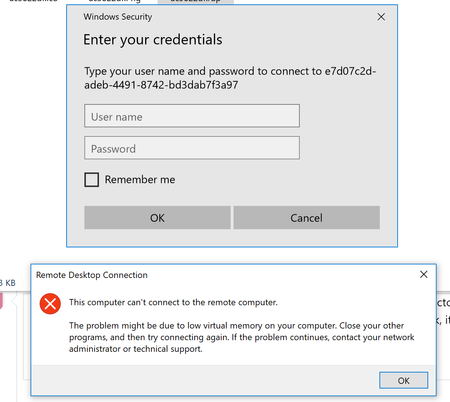

One thing to note is that, the HTML5 portal does work. So, I've got something! I tried to remove the feed, and re-add it, but no dice. I thought it may of been related to the autodiscovery via e-mail, as I do not have e-mail configured in my test tenant. But, since the web portal works I do not believe it's that.
- stevenzelenkoMar 22, 2019Brass Contributor
rbergertd Yeah. Since this is so new, it's hard to troubleshoot and I'm just going by past things I know. Question, I had issues earlier where I could not log into the HTML5 until I made the user a tenant creator in Azure AD for WVD. But the RDS app worked fine. Quirky but it's only day 2!
- rbergertdMar 22, 2019Copper Contributor
stevenzelenko Thanks for the rec. I did check the tenant multiple times and I *think* everything is provisioned. Does this look okay to you? It's so odd, but I'm happy to end the night on a win with at least figuring out HTML5 is working. :)
- stevenzelenkoMar 22, 2019Brass Contributor
rbergertd That is how mine looks. The HTML5 integration is fantastic. I would check your WVD application users in Azure AD and maybe put your test user as a tenant creator. I had to do that for all my synced test users to get it to work flawlessly. It doesn't sound right but it works. And I got MFA working too. Cool stuff this.
