Forum Discussion

No License Server - WVD
 Aug 05, 2019
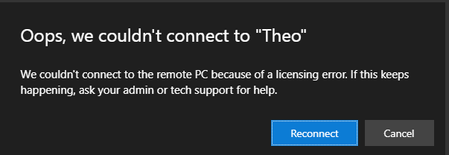
stevenzelenko If you are using Windows Server in your host pool then you need to set the licensing mode to Per User and Specify the FQDN of your RD Licensing server. You can do this via group policy settings applied to your session hosts:
Computer Configuration\ Administrative Templates\ Windows Components\ Remote Desktop Services\ Remote Desktop Session Host\ Licensing
Use the specified Remote Desktop licensing servers Enabled
Set the Remote Desktop licensing mode Enabled
Your RD Licensing server needs to be running the same version of Windows Server or higher. Each user needs an RDS User CAL with Software Assurance (SA) or RDS SAL for service provider scenario.
-TP
stevenzelenko If you are using Windows Server in your host pool then you need to set the licensing mode to Per User and Specify the FQDN of your RD Licensing server. You can do this via group policy settings applied to your session hosts:
Computer Configuration\ Administrative Templates\ Windows Components\ Remote Desktop Services\ Remote Desktop Session Host\ Licensing
Use the specified Remote Desktop licensing servers Enabled
Set the Remote Desktop licensing mode Enabled
Your RD Licensing server needs to be running the same version of Windows Server or higher. Each user needs an RDS User CAL with Software Assurance (SA) or RDS SAL for service provider scenario.
-TP

T P This works! Thanks so much.