Forum Discussion

Invalid connection file - Any ideas how to get past this?
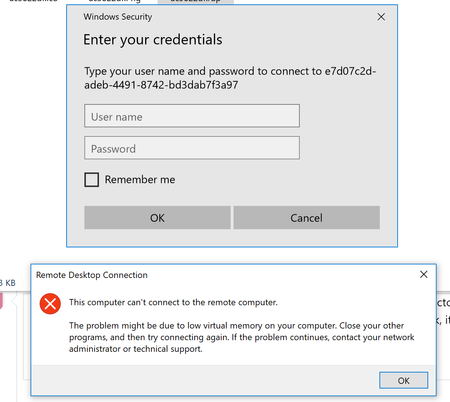

rbergertd That is how mine looks. The HTML5 integration is fantastic. I would check your WVD application users in Azure AD and maybe put your test user as a tenant creator. I had to do that for all my synced test users to get it to work flawlessly. It doesn't sound right but it works. And I got MFA working too. Cool stuff this.

stevenzelenko Yea, I had tried that - no dice unfortunately. I still get that file error. Ugh!
- rbergertdMar 24, 2019Copper Contributor
stevenzelenko Just a little more info, I just checked the status of my RDS Session host and it all looks good. I am convinced this has gotta be something on the client end. I tried forcefully removing the .RDP files that the client creates in AppData and letting it recreate them, but it's still giving me the same error so who knows. The thing that is a bummer, is what I am working on, I really need the native RDP experience and don't want to even start testing it with the HTML5 piece. :(
- evasseMar 25, 2019Former Employee
rbergertd : Can you try to refresh the feed? Use the 3 buttons again and click details. At the bottom of the page you will find an update now button. See if this mitigates the issue.
If you are still not able to connect please share feedback with using extending the 3dots on the top right corner in the app next to settings. You will be redirected to feedback hub. This will help us to get the right information we need for your issue.
- rbergertdMar 26, 2019Copper Contributor
evasse Eva, this appears to be limited to my workstation Remote Desktop client. Even after total removal and reinstall, I get the error. I built up another VM to test installing the client on and am able to access my resources via the Remote Desktop client installed on the new workstation. So I think at this point I've got a fully functional deployment. Just something wonky with my client install (which I've yet to resolve :))
