Forum Discussion

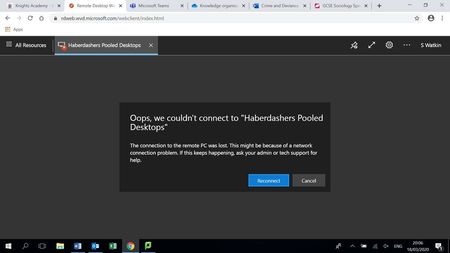
Error when connecting to MVD - 0x3000047
- Mar 24, 2020
serge I think you are on the right track. Here's what we see internally:
Client gets an Error during Orchestration.
Orchestration failed. Code=0x80075a1e, symbolicCode: E_PROXY_ORCHESTRATION_UNKNOWN_ERROR, message: Failed to add user = ≤USERNAME REMOVED≥ to group = Remote Desktop Users. Reason: Win32.ERROR_NO_SUCH_MEMBER, target: (null):4


https://techcommunity.microsoft.com/t5/windows-virtual-desktop/investigating-issue-with-windows-10-enterprise-multi-session/m-p/1431813
You can fix it by running this registry add
Windows Registry Editor Version 5.00
[HKEY_LOCAL_MACHINE\SYSTEM\CurrentControlSet\Control\Terminal Server\WinStations\rdp-sxs]
"fReverseConnectMode"=dword:00000001
I did it by running the powershell command on the VM directly in Azure.
New-ItemProperty -Path "HKLM:\SYSTEM\CurrentControlSet\Control\Terminal Server\WinStations\rdp-sxs" -Name "fReverseConnectMode" -Value "1" -PropertyType "Dword"
After a reboot it works!
Regards
Jacob

Thanks for the tips.
This is really a bit of a mystery occurrence, however.
Tried various fixes suggested from Microsoft forums and from other sites, including this registry fixes that worked for a couple (on top of removing it from host pool, rejoin domain, uninstalled all RDAgents software, re-register with new token, etc.), but then it does not for a few others.
But then next day or so, things are ok again for all affected VMs without any other fixes added.
Would really love to know the root cause of this to better support the mass audience.