Forum Discussion

eDiscovery search: Sites not available when adding a Group data source
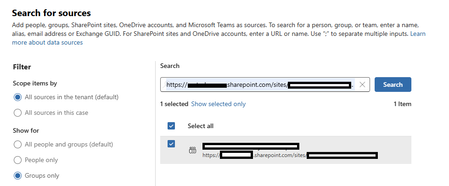

Hi danielschmidt - I responded yesterday but not sure why it disappeared.
The "Not Available" in the Sites column when adding a Group data source is a known provisioning lag. The SharePoint site associated with a M365 Group needs to be explicitly provisioned before eDiscovery can index it as a separate hold location. Even if you are an Owner of the Group, the site may not have been visited or provisioned yet.
Have you tried navigating directly to the SharePoint site URL in a browser while logged in as the Group owner? A single visit triggers provisioning. After that, wait 24-48 hours and retry adding the Group as a data source in eDiscovery. The Sites column should populate once the site is registered in the SharePoint service.
If it is already provisioned and you are still seeing "Not Available," the next check is whether the account running the eDiscovery search has been explicitly added as a Site Collection Administrator on that SharePoint site, not just Group owner. The eDiscovery engine resolves site access through SCA permissions, not Group membership.
Let me know if that doesn't work.