Forum Discussion

Thomas_Oreskov
Mar 14, 2025Copper Contributor
Cant download file in Process manager
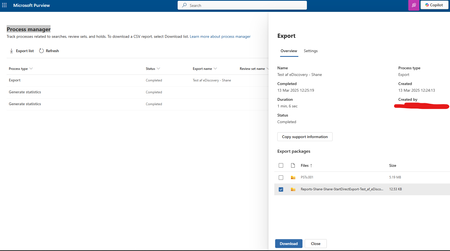
Hi I have made a report, and now I want to watch it. How ever I cant out how to read the report, and I cant download it. Download icon is blue and all looks fine. Nothing happens when I click dow...
 Jul 22, 2025
Hi,
I found a solution from this
https://learn.microsoft.com/en-us/answers/questions/2184620/unable-to-download-purview-exports
"In PURVIEW, I found the user settings and edited the ediscovery admin & manager permissions and the downloads now work."

Mike_Schallmo
Mar 19, 2025Copper Contributor
I'm having the same problem here. Did you happen to figure this out?
Mubeen_1
Dec 23, 2025Copper Contributor
Hi Mike,
Try this
- First, navigate to the Microsoft Purview settings.
2. Then, click on Role groups.
3. On the Role groups for Microsoft Purview solutions screen, scroll down and check the box next to eDiscovery Manager, then click the Edit button at the top.
4. Under Manage eDiscovery Manager, click on Choose users. From the right side, select the user you want to grant permissions to (or your admin ID if giving permissions to yourself). Check the box next to the user, then select and save.
Once done, go back in the same browser or a different browser and click on the Download button.