Forum Discussion

alessandro_horsa
Dec 18, 2023Copper Contributor
Copy data to Oracle destination
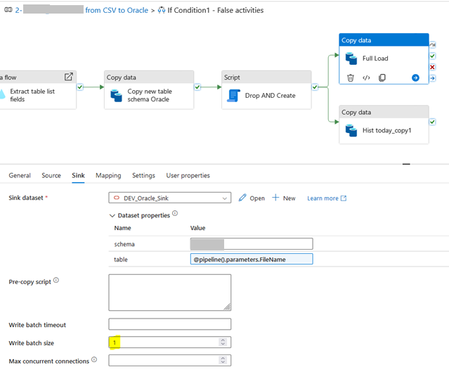
We are trying to copy data to an Oracle DWH, and we are facing issue when trying with different setups on the “Write Batch Size” parameter. The copy activity works when we set the “Write Batch Si...

Kidd_Ip
Feb 21, 2026MVP
You are right, Azure Data Factory (ADF) behaves differently depending on the WriteBatchSize setting when writing to Oracle, in short, you may consider small batch sizes as safe but slow while large batch sizes require extra Oracle privileges because the connector uses optimized bulk insert logic.
You may get your DBA involved to grant the necessary privileges or configure the connector to use a mode compatible with your current rights.
https://learn.microsoft.com/en-us/azure/data-factory/connector-oracle?tabs=data-factory
https://learn.microsoft.com/en-us/azure/data-factory/copy-activity-performance-troubleshooting