Forum Discussion

Export and Link Access Query to SharePoint Online

 Carl_WilliamsOct 04, 2021Iron Contributor
Thanks for the input George!!
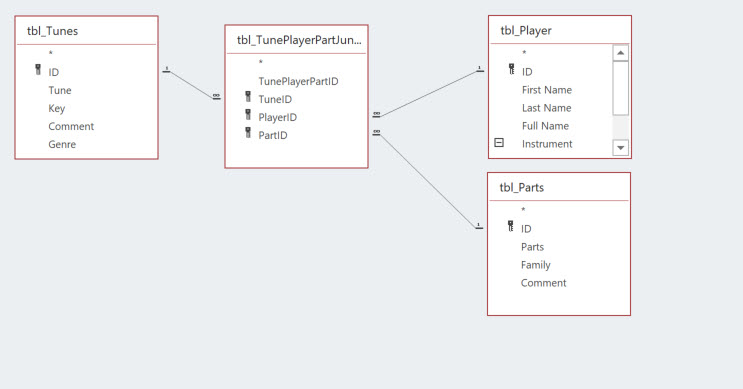
So, the junction table is very important in this case to ensure referential integrity. The linked tables in my test db, LinkedTableTestDB and even the tables in the main db are not directly associated with one another. I will attach pictures for you.I'll show you the query setup and results in both databases.
- Carl_WilliamsOct 04, 2021Iron ContributorIt seems that you cant create a query with referential integrity using linked tables.
- Carl_WilliamsOct 04, 2021Iron Contributor
What I really want, which is both the easiest yet likely most difficult (SURPRISE!!!! MSFT STUFF), is to simply export the query report to SharePoint as a list and create the PowerApps app off that.
Although, it should be semi-automated. Sure, run some code to export BUT like I said previously, the SharePoint list is given an incremented name (:() which is the most ridiculous and most unwanted process anyone would want in this scenario. So nowwwwww you have to go to SharePoint, delete the list then re-export it from Access then likely go into PowerApps and reconnect the data source. Everything else you do in this !@#$%#@$%@# framework you're asked to verify that you want to perform an action or at least provide a choice to do this or that such as write over!!!!Oh yes, we can ask for that in the special "wish list". The list that goes on and on and on and the most functional things and most required, what one would think is normal/expected functionality never get addressed. This is yet another example of oversight. And I dont mean oversight as management/supervisory. Oversight as in mismanagement of "EXPECTED" features in an "integrated" framework.
Yes sireeee. This what I call the ultimate in integration and data management in 2021-2022. Not.