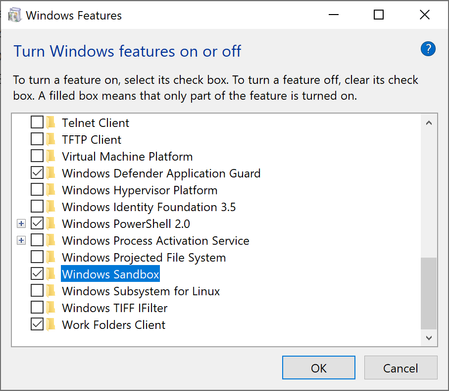
So during the creation of the sandbox, not only is the WDAGUtilityAccount created with a simple password that appears in plaintext in the event log, but the WDAGUtilityAccount is also added to the local administrators group in the sandbox. That means the user of the sandbox is a full admin and the password is a simple and probably hard-coded value. Any malicious code in an executable or on a website could compromise the sandbox. Some of our customers were looking at the sandbox as a potential environment for users to do their work. But if a user goes to a malicious web site and compromises their sandbox, then they go and log into a customer site using their credentials, those credentials could easily have been captured. If the user writes any code or scripts within the sandbox for testing, that code would be suspect. Also, the user, being an admin, could disable security features like firewall or defender, and place the system in even greater jeopardy.
The sandbox also allows for the bypassing of some system restrictions. For example, on my host system, I was NOT able to download mimikatz through Edge. In the sandbox, not only could I download it, but I was able to execute it. And I was able to copy it over to my host system. Luckily, Windows Defender stopped it from being copied to my host system entirely, but maybe there is other malware that wouldn't be caught.
We also deal with the possibility of employees exfiltrating corporate data. There are protections in place to prevent uploading data to sites in the host, but the sandbox can bypass those as well. A sandbox user could potentially copy a terabyte of corporate data to their sandbox and upload it to a cloud drive.
A good defense-in-depth strategy could mitigate a lot of this, but quite a few corporate customers don't always practice safety, don't monitor the environment, etc.
My suggestions for enhancements would be:
1. Don't log the user in as an admin. Log in as a user
2. Randomize the user name and password when creating the sandbox and use a long and complex password. Don't display the password in plaintext in the event logs on the host.
3. Allow domain admins to somehow control the local policies in the sandbox, either through domain GPOs that apply to the host and are applied to any sandboxes that are created, or through some other management mechanism (DCM, SCCM).
4. Provide some way to monitor any and all activity that occurs inside the sandbox and log it out to the host or to an event collector.
5. Maybe provide an approval mechanism where users require an admin approval to even create a sandbox, similar to the way SCCM can require admin approval to install some software.
Without the ability to control the sandbox environment, any domain admin worth their salt would simply disable Windows Sandbox completely. Which would be a shame because it has great potential, but the security model really needs to be looked at more deeply. Security for any sandbox product has to be the #1 priority from the very start. Locking down users who use it, and giving admins the ability to control it and audit it, are necessary.