Updated Nov 09, 2023
Version 7.0
JaySimmons Microsoft
MicrosoftMicrosoftMicrosoft Microsoft
Um, yeah, but I have to disagree. I think we've been fully aboveboard on the requirements and limitations. There are no contradictions and I see no lack of clarity.
I see you're quoting from a 3rd-party press release. Please, do read through the Microsoft documentation starting with these:
Windows LAPS overview | Microsoft Learn
>>If MS is providing this wonderful LAPS, they also seem to be trying to push InTune. We don't have InTune and might not use it.
Intune is not required and no, we are not "pushing" it. In fact, I fought very hard during the design phase to make sure such a requirement did not get put in place, just so that customers without Intune could still benefit. However, a majority of our customers do find that Intune is of great benefit to them in managing their deployment. Feel free to not use Intune based on your own situation.
>>Also, those of us with unmanaged devices who do not have InTune and also do not have a Hybrid setup (pure Azure Cloud - MS managed DCs) are left out in the cold. Every article is written as if we either have InTune or have a hybrid setup - of which, we have neither.
Sounds like you are only reading 3rd-party information sources? Please read the first link I posted here:
Windows LAPS overview | Microsoft Learn
Some of the Microsoft documentation is written to have a tight focus on hybrid devices, or the Azure AD scenarios, or the Intune scenarios. I don't see this as a problem - you may, but I don't. But if you look at the feature improvements made just for on-premises Active Directory-joined devices described in the link above, I think it is obvious that we left nobody "out in the cold".
Also see: Do I need Intune in order to use Windows LAPS?
>>If the Azure portal piece is still in limited Private preview; not available to Public, why did MS leave open the "Enable Laps" button on Device Settings in Azure?
>>If it's not an open/public preview, MS should keep that button disabled. ?
Your statement is incorrect: the Windows LAPS Azure scenario has been in public preview since April 21st. The "Enable LAPS" button was in a disabled state until that date.
>>Since we are NOT hybrid, NOT on Intune; and we are being cost-conscious,
>>we instead are taking advantage of Group Policy by directly joining via Computer, Advanced Properties, Join a domain (Windows Join, but not hybrid)
>>instead of 'School or Work, Connect to Azure AD."
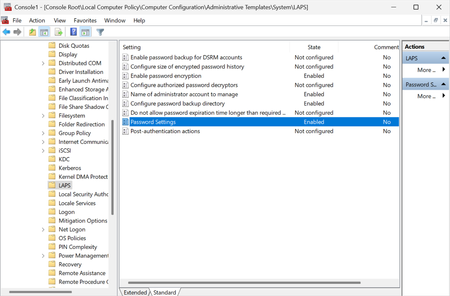
Excellent - I am very glad to hear that! You will be very happy to learn then that Windows LAPS has full support for AD-joined devices including a brand new GPO. Here are some more links to get you started:
Get started with Windows LAPS and Windows Server Active Directory | Microsoft Learn
Configure policy settings for Windows LAPS | Microsoft Learn
Get started with Windows LAPS deployment and migration scenarios | Microsoft Learn
Yes, there is a manual schema extension step required to use Windows LAPS in the Active Directory mode. If you yourself are not a Domain Admin, then yes this means you will have to go find the actual Domain Admins for help with this step. If you cannot find your current Domain Admins, or if you have lost all of the passwords for the Domain Admin accounts...well then I would solve that problem first (with high priority) before messing around with Windows LAPS. Otherwise that could prove to be a significant problem in the future.
TNJeff - I can't quite tell if you are being sincere with your comments, versus just being a troll. I've tried to respond in good faith but regardless, good luck to you! I hope I've provided sufficient information to help you get started using Windows LAPS. If in the final result you find it doesn't fit your needs, I'd appreciate a PM telling me where it fell short.
thanks,
Jay