Updated Nov 09, 2023
Version 7.0
JaySimmons Microsoft
MicrosoftMicrosoftMicrosoft Microsoft
>>I have never installed the previous version of LAPS, referred here as Legacy LAPS.
>>I want to know if I install legacy LAPS on domain controllers for management purpose, and put all the machines (including the updated Windows 10,11 clients) in LAPS scope, will the Windows LAPS honor the legacy LAPS GPOs and continue to perform the required actions?
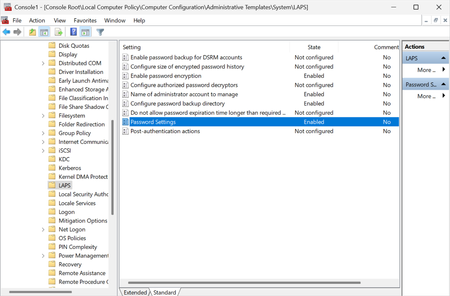
Yes you can use the new inbox Windows LAPS feature to honor the legacy LAPS GPOs. (Just be aware that such policy enforcement takes effect as soon as the policy is applied, unless you block that by disabling legacy LAPS emulation mode.)
>>OR, should I introduce a member server 2019, update the schema as per Windows LAPS and apply Windows LAPS policy on all the eligible machines?
Whether or not you have ever deployed legacy LAPS, I do recommend that you move to using Windows LAPS as soon as possible on all supported platforms. Granted I am biased, but I think the improved security features - especially Azure support and onpremises AD password encryption - are just too good to pass up. I realize that for some customers this might mean managing legacy LAPS and Windows LAPS side-by-side which is painful, and that's a decision for each admin to make for themselves.
I would also recommend that you look strongly at move those DCs to newer OS versions. 2012R2 especially is getting quite old.
hth,
Jay