Hi Mark-Kashman and thank you for your reply.
What I am actually trying to grok is how to roll out new sites going forward. Should we stick them all in one site collection as we have sort of begun to do already or should we start to have only one site per site collection. I understand that you cannot give a definitive answer to that question, but I am just trying to convey what I am ultimately searching for an answer to.
So here are my comments to your answers:
1. That is good to know. We definitely need something to replace the old style templates with something that doesn't require a lot of coding.
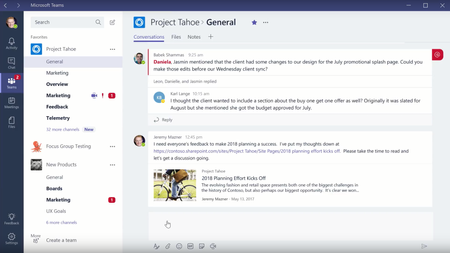
2. I think I am more on the rollup type scenario. Today, as I understand it, the old style templates can only be used within the same site collection, but with each site getting its own sc, that model is no longer sustainable - as you are probably well aware. So I'd like to be able to offer my users a number of choices when they want to create a new site (in its own sc perhaps with a connected o365 group), between different kinds of sites for different purposes with different kinds of content and setup. It could even go so far as to include a setup for Planner and Teams connected to the same O365 Group.
3. OK, again, good to know. Our challenge is that in some cases we want to control membership through AD (synced from onprem) and in some cases we want to let somebody in the group manage group memberships. Also, this means that if we have existing sites that are subsides and that we want to connect to an o365 group we need to have them separated out into individual site collections. Will you offer some tools that will let us do that? An official way to move content in bulk between sites would be good too. There are third party tools for that, of course, but really this should be something users could do themselves. The existing feature to move content doesn't seem fit to move large amounts of data.
Thank you again for listening!