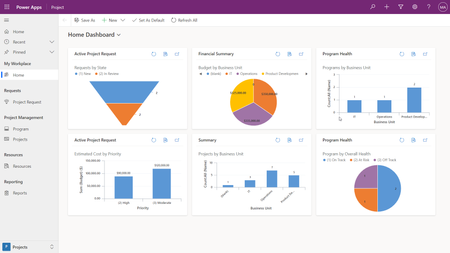
For a lot of people, a project is more than a set of tasks with the team members assigned to work on them. You may need to track issues or risks or a process to decide which projects even get fun...
Hi! I've also been encountering the missing dependency msdyn_ProjectServiceCore (1.0.0.87) error despite having the Project solution installed (and reinstalled) in my default environment (no issues when trying the Project Accelerator on newly created production environments). I have also tried "Apply Solution Upgrade" to the ProjectServiceCore solution but i get the message "msdyn_ProjectServiceCore solution doesn’t have an upgrade that is ready to be applied". Thought of sharing my current experience --
The error message we are getting from the PowerApps Import a Solution interface is quite vague. It just says -- "There are missing dependencies. Install the following solutions before installing this one: "msdyn_ProjectServiceCore (1.0.0.87)"" There is an option to download details (log.txt file) which should be helpful but to be honest the raw formatting makes it quite difficult to digest. I suggest you try the PowerApps Solution Import classic experience --
It says that I am missing the "msdyn_team_msdyn_project_projectteamid" EntityRelationship. When I checked with my other non-default environments, this EntityRelationship was pointing to a "Project Team" lookup field (managed) in the Project entity. This was also missing in my default environment. I could not create the "Project Team" as it is a "managed" field.
Sorry for the long comment! Please let me know if i should put this somewhere else. Hope it can help others somehow. I'm still troubleshooting and I hope could also get suggestions on what else I can do. Thank you!