Updated Apr 11, 2018
Version 1.0
ErayC Microsoft
Microsoft
a { text-decoration: none; color: #464feb; } tr th, tr td { border: 1px solid #e6e6e6; } tr th { background-color: #f5f5f5; }
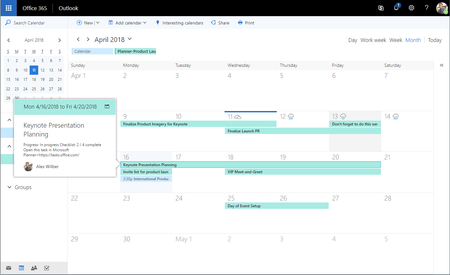
We're trying to enable Planner-to-Outlook calendar integration for our users, but the option described in Microsoft documentation does not appear to exist in our environment.
Environment:
According to the documentation and previous guidance, users should be able to select Add plan to Outlook calendar from a Basic plan and publish the plan calendar feed. However, our users do not see this option anywhere in the plan menu.
We've confirmed:
Questions:
We're trying to help users see Planner task due dates on their Outlook calendars, but the documented option is not available. Any clarification on the current Microsoft-supported approach would be appreciated.
Thank you.