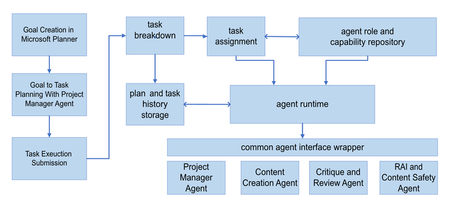
Learn about Project Manager agent, built to help users in their journey from idea, to plan, to done.
Updated Dec 05, 2025
Version 4.0
MSFT-Jakob Microsoft
Microsoft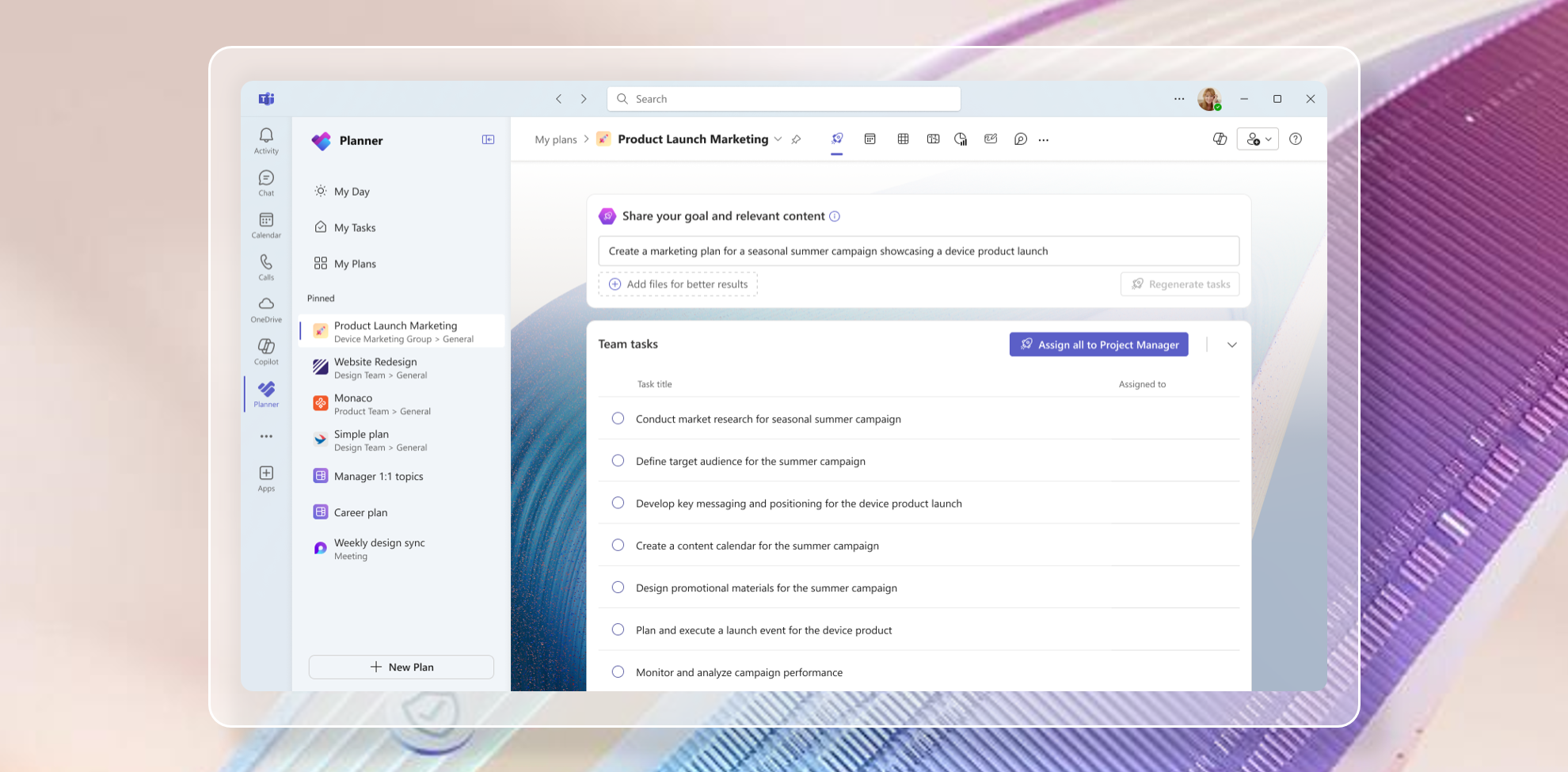 MicrosoftMicrosoft
I should have also mentioned that the names in there are out of date - Project Plan 3/5 is now Planner Plan 3/5.

Interestingly it showed up in my Planner (Teams) environment yesterday, but it does not show up in my regular Planner environment. The demo here also shows the Teams environment, but odd that it does not show up the main Planner environment. If I create a plan using the agent option in the Teams Planner, that plan does show up in the main Planner environment, but creating one there to begin with is not an option I am seeing at this point. I know from the demo that to use this feature it must be attached to a group, so perhaps that is why it has to be created from with the Team environment.
I think it has always been a Teams only experience, so I don't think you will currently see it in the regular Planner environment. Probably some stuff that comes for free creating it in Teams that meant it was more work to add it to regular Planner in isolation.