Learn about Portfolios, a new feature designed to help users track and manage multiple plans in Planner.
Updated Dec 05, 2025
Version 2.0
Meet_Sanghvi Microsoft
Microsoft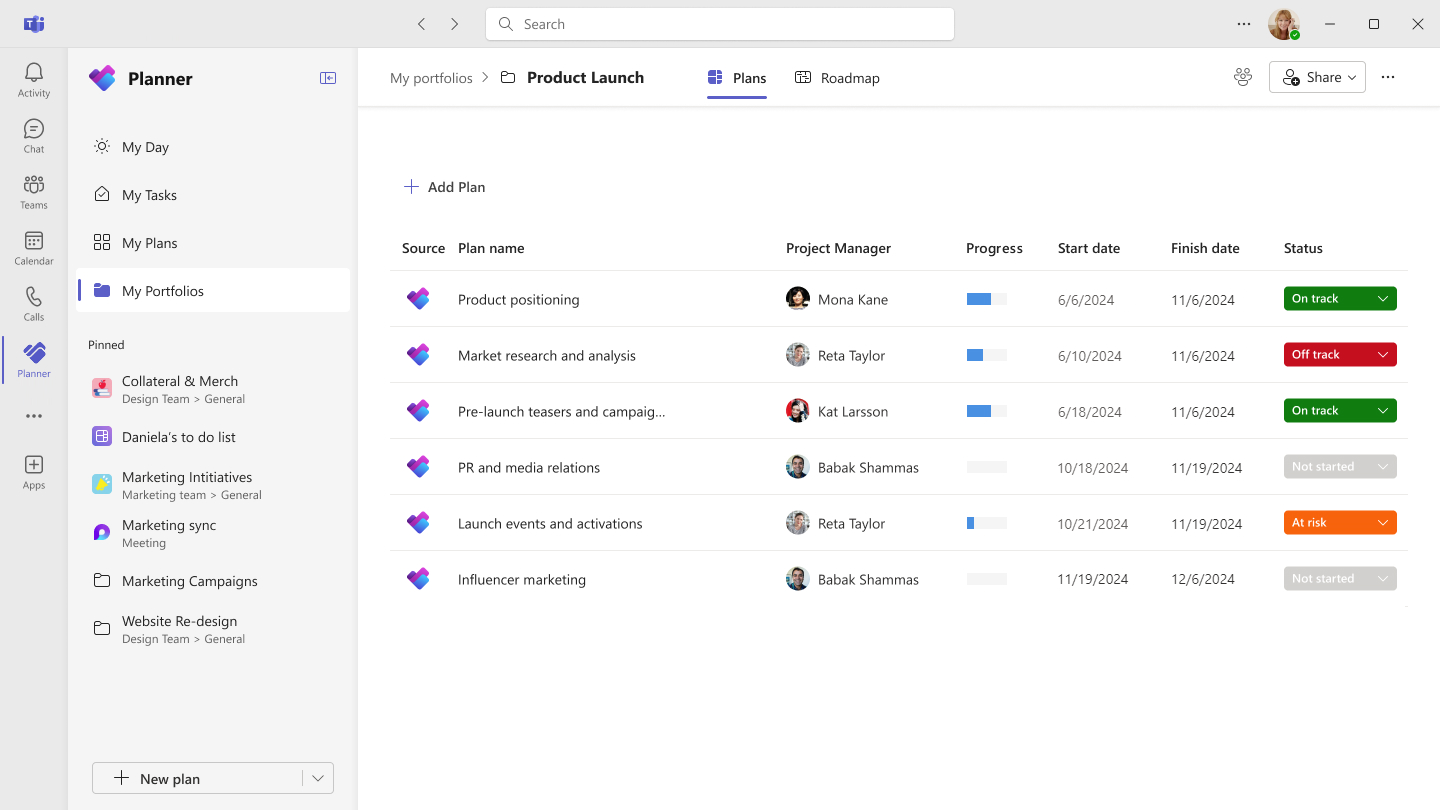 MicrosoftMicrosoft
 Microsoft
Elin , ThomasBastock , Thank you for your feedback. Currently you can only add premium plans to a Portfolio but have received requests for adding basic plans to portfolios as well. We have added the same to our backlog and will continue to look for opportunities to include basic plan support for Portfolios in future product releases.

Hi Meet_Sanghvi - Any news on this?
I raised this concern over a year ago now, and it's quite frustrating that this still hasn't been resolved.
Currently, the "Premium" plans do NOT have all the features from the "Basic" Plans. For example: The ability to view notes or checklist actions, on each task, in the board view. Also the ability to use simple status' for each action (In Progress, Not Started, Completed).
Due to the absence of these features in the Premium plans, many of us are forced to continue using Basic plans.
The problem with this is, Microsoft still haven't given us the ability to add "Basic" plans to Portfolios - making the Portfolio feature inaccessible to us.
Please please, can we do one of the following:
Either:
A) Allow us to add Basic plans to Portfolios
B) Add features from Basic plans into Premium plans (so we can maintain the views we need)
I pay for the tier 3 licence, and these restrictions are really challenging for me & our organisation.
Can any of the developers say if there are any plans to help us with this?
Thank you!
Thomas

I have not seen an update. My company recently paid for the top tier license, and it did not improve the situation, for all the aforementioned reasons and more.
They just need to bring back some of the better elements that made Planner, Planner, and why people selected Planner over Project, and not try to force people (in addition to Tier $ grabs) to use a Project management platform with only Gant views, no note or "In Progress" etc. The list of grievances / flaws is long.
When we really just want the original planner (with Portfolio Management, Reports and with improved portfolio dashboard views / Kanban pie charts & visual aids progress cards, overview for all of the plans that you manage and oversee.), so don't upgrade to the top tier until they bring back all the previous Planner features, we've discussed and loved, it won't help the situation. Not everybody wants a GANT view that doesn't serve the purposes for everybody's needs. It is too restrictive and you feel like you are working blind from an overall portfolio / plan view. It is horrible.