Updated Nov 09, 2023
Version 7.0
abdias_ruiz Microsoft
MicrosoftMicrosoftMicrosoft
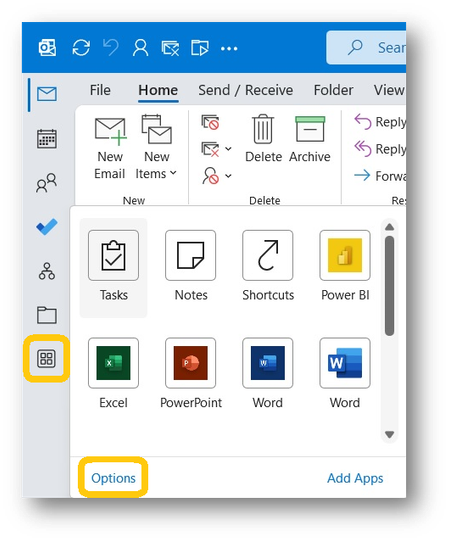
I don't know, I too was thoroughly disappointed in MS's decision to move the navigation bar (of which I like I'm sure most other Outlook users do take advantage). And I, like others, "fixed" it with regedit. However, as pointed out by a number of posters as well as the updated lead into this thread, the ability to check or uncheck Show Apps in Outlook in File>Outlook Options>Advanced does seem to have addressed this issue. Checking and unchecking the box does move the navigation bar at least for me and I have to believe others. Also, we need to stop blaming programmers for this change. They have absolutely nothing to do with where the bar is placed. That's the job of the designers - programmers did write the code that put it there but only because the designers said that's where it had to be.