Updated Nov 09, 2023
Version 7.0
abdias_ruiz Microsoft
MicrosoftMicrosoftMicrosoft
Hi there,
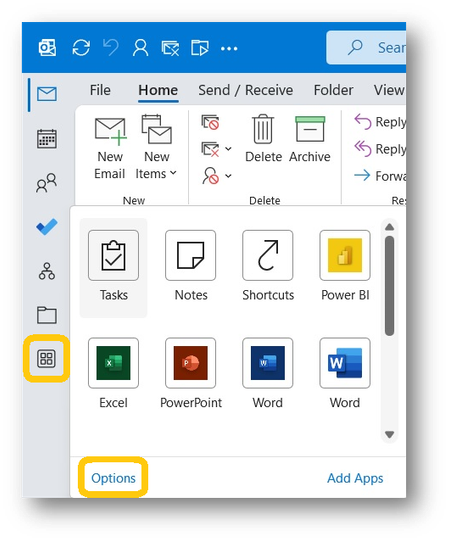
Anyone that missed it please note there's a registry fix that puts it back in the original location (and with just the built-in Outlook apps not any of the other apps, so the old way not just the old location).
Open Registry Editor (type "Registry" into start menu)
Computer\HKEY_CURRENT_USER\SOFTWARE\Microsoft\Office\16.0\Common\ExperimentEcs\Overrides\Microsoft.Office.Outlook.Hub.HubBar = "false"
reload Outlook
While I hope they make it a proper option available in the normal settings or UI (not just for people happy to mess with the registry) but for the power users that are losing time to the location of this bar, please do note that there's a solution to this now and don't suffer pointlessly.
It's annoying that they pushed this out in the first place, didn't listen to user feedback and just made it mandatory after deploying it gradually, and just in aid of making all platforms look simmilar in spite of actuall differences that needed to be designed for.
While I have hope that they might make some better use of this area (and I will actually have enough buttons here to fill a whole side bar) we're clearly not at that place yet and rolling this out as mandatory when it was still mostly empty was just such an anti-user anti-experience decision it should prompt a review of priorities and working practices.
Kind regards,
Oscar