This is redundant from the posts of others, but I feel a need to chime in.
I had been happily using One Drive on my external SSD. All my files in their original forms were in my OneDrive folder. Then...
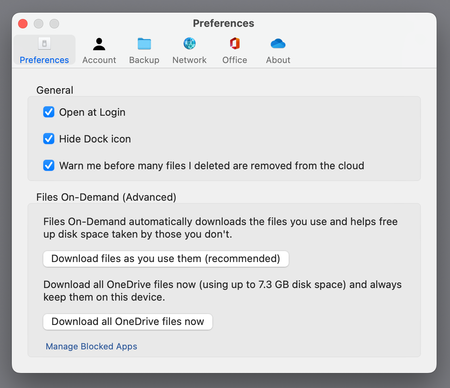
There is now an invisible .ODContainer-OneDrive folder containing the OneDrive folder on my external SSD. I never asked for that. My OneDrive folder, which now has an arrow as if it is an alias, has replaced my original OneDrive folder. Now I see cloud icons next to my files in my OneDrive folder. When I tried to get things back the way the were - the files I generated between the time of the problematic OneDrive app update and when I tried to "fix" it are missing. The files are not on TimeMachine.
There is now another file in my library on my boot drive. My MacMini has a 256 GB internal SSD drive. That's why I had OneDrive on an external drive 1TB SSD. 30 GB has been appropriated in my Library for "CloudStorage" on my Boot Disc to run OneDrive.
Try as I might, I cannot get things back the way they were.
Microsoft - Why did you feel a need to change the settings on my computer and move my files without asking me?! I get 1TB of cloud space with my Office 365 Subscription. I have spent several hours copying and trying to save my OneDrive - what a waste of time.
If you ever have a new app or update, do not move any of my files from one place to another on my computer. Never touch the files on my computer. You can put my files in the cloud, but do not move them on my computer.
Whatever you have done, you should undo it and send a letter describing how we can get back the functionality and control you have taken away.
I am very upset about the changes, my lost files and my inability to figure out why you are spawning and duplicating files on my computer. I am turning off OneDrive because I cannot trust it.