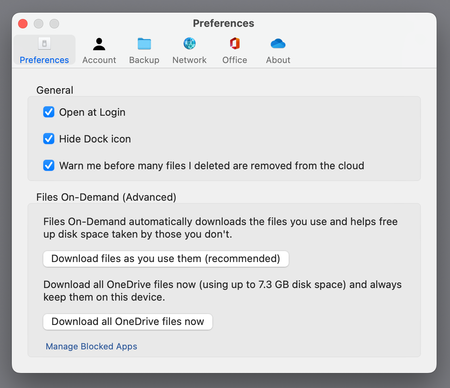
LorenzoOrlandi and YaYaTurre, Before the recent update of OneDrive, which should fix the syncing issues, I discovered that if you select 'always keep on device' for a file or a folder, it is downloaded to a hidden sync folder in the Library folder on your hard disk.
The folder that you see for OneDrive still populates only an empty file until you use the file. Don't ask me why, apparently this makes sense in weird MS World.
What you can do is to click on the cloud icon. That will force OneDrive to 'hydrate' the file in the folder that you see and the hidden sync folder will have an empty file.
If I fetch the folder information of the root sync (the folder where you expect all files to be) and of the hidden folder in the library, they both show to use the entire size on disk. My hard disk is large enough, fortunately, but I find it ridiculous, so I asked MS about this in the user community. They have assured me that both folders point to one file, so the file is only occupying the space once.
I hope this helps.
It's a disgrace that MS has done their work so badly, that I, a normal user with a mild affinity for IT, have to research so deeply to be able to write a post like this.