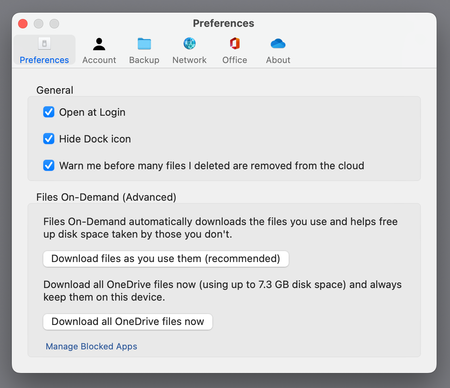
On January 26 th , we released a new version of OneDrive sync (22.002) on macOS 12.1+ with an updated Files On-Demand experience. Prior to this release, OneDrive used a kernel extension for Files On-...
So, switched from Apple Store version to standalone, in order to get the 22.033.0213.002 update, with the hope of something a little better with your announcements. And voilà: OneDrive simply would not sync anymore… "Everything is up to date!" it would claim. But nope.
So, uninstalled (as deep I as I could), and now even better: I have TWO OneDrive folders in CloudStorage, one labelled OneDrive-Personal, the other OneDrive-Personnel.
So just changing the app's language once will create a duplicate??? Cherry on top, there are differences between the two! Because why not?
Now, how I'll get rid of any or all of these folders seems a huge mystery, a message pops up says "it must be downloaded" or something… With fingers crossed (and with a TM backup) I'll try an rm -rf, but Abandon Hope All Ye Who Enter Here…
And now, every time I launch OneDrive it quits with an error and relaunches in the setup screen - which STILL doesn't seem to allow one to select the folders one wants to sync, YET ANOTHER MAJOR BLUNDER by your team.
Edit: deleting the CloudStorage through the terminal worked. Now I'm back with 22.033.0213.002, clicked on the new "download everything" feature (with no way to know which choice you've made past the confirmation) and after a while it started downloading stuff. We'll see.