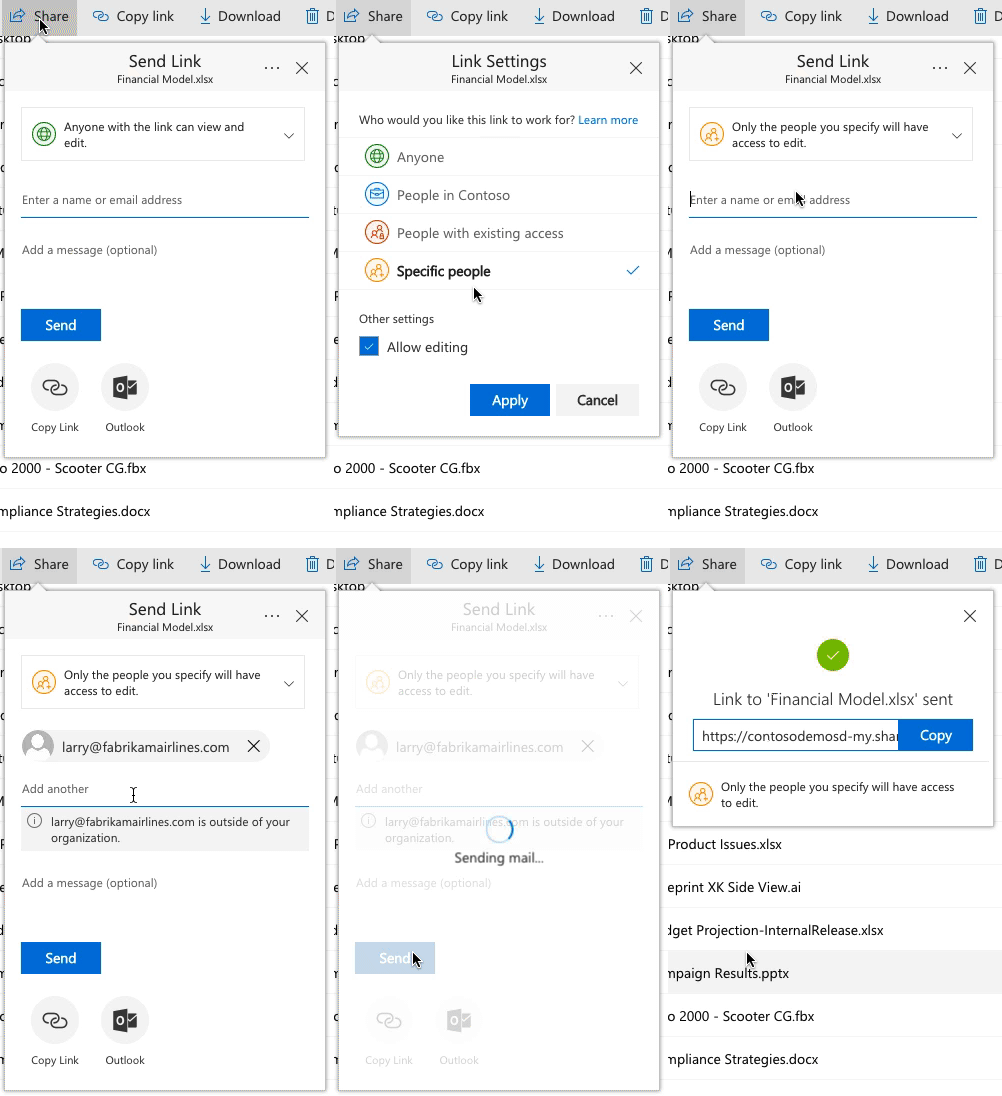
At Ignite we announced a major improvement to the way secure external sharing of files and folders works in both OneDrive and SharePoint in Office 365 and we wanted to share what this means for users...
I have been testing the functionality today and found some erratic behaviour.
As you can see in image 1, the '@gmail.com' and '@hotmail.com' email addresses are displayed with the 'This link works for these people' as expected. However, if I add an '@outlook.com' email address (image 2), this user now gets permissions directly attached to his user account (image 3).
I can see this user as a guest in Azure AD, so I figured it probably existed as a guest user before sharing. I deleted the user from Azure AD, removed the permissions and shared again some 4 hours later. This did not change anything, same thing as above.
So then I created another guest user (**@outlook.com) in Azure AD and went on to share the folder with that user. The account is granted access via the e-mail but is listed with the "This link works for..." just like the others.
I'm at a dead end here as to why this one account got permissions assigned to the account directly as opposed to the rest who have the sharing link. Could this be related to the refresh cycle of the SharePoint User Profile Service? I'll try testing this out some more in the coming days but any pointers sure would help.