Stephen Rose, StephenRice, following on really from the points Deleted has made, and some I'm re-iterating here.
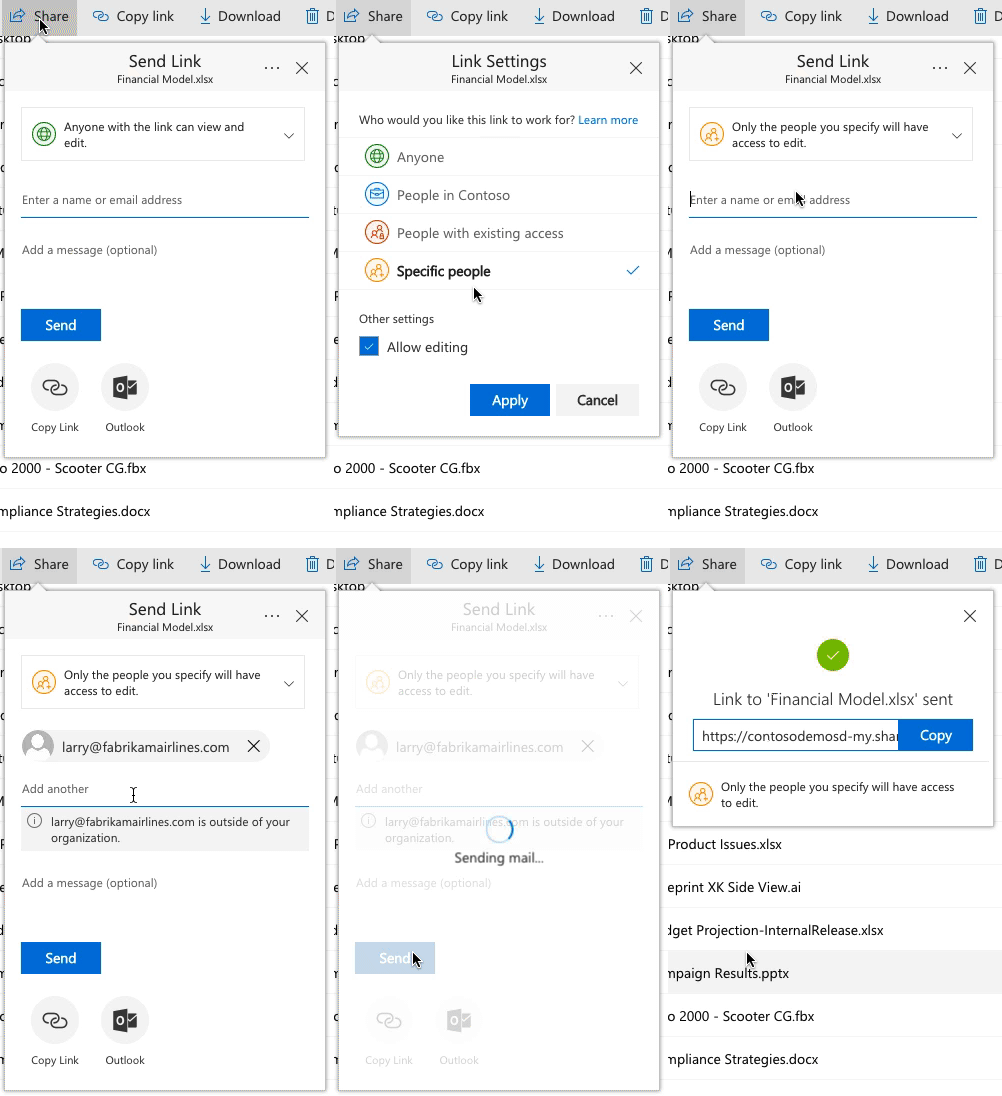
I'm currently working for a client that has very recently deployed SharePoint Online to the business. They work heavily with external users and the way SharePoint/Onedrive now handles External Sharing is causing a few problems.
- When a person shares a document to a collection of people, one link gets created for all of those people. There is currently no way to stop access to one person without deleting the link and then adding the other people back again. There should be a way of removing access for one person that using a link instead of deleting all. Perhaps clicking on their profile picture that always shows the default grey profile picture and their email address (on hover), gives an option just to remove that one person.
- If you have already shared with one person and it creates a link for them, and another person/or yourself, (without really looking if it has already been shared with that person), try sharing with the same person again, a new link is made on that document. Why can the code realize the document has already been shared with that person? Sure sent the email out again, but don't make another link.
- If it is a different person who the document is shared with, but the document is being shared, being shared with the same permission as an existing link, why can't the person be added to that link and then give them that link, instead of creating two separate links?
- The new external "Sharing Links" obviously isn't being picked up in search properly. If you got to Site Content -> Site Usage, then click the "Shared externally" tab, I no longer see the documents that are shared with an external Sharing link showing in this list. Only if I share a document with an external user that is within our AD Directory, does the document show on this tab. This needs to be fixed, as it was the only indication for a site owner to quickly see what documents/folders were externally shared.
- Following on from my last point, we had a Content Search webpart that used to display External documents, simple query
path:"https://myexamplesite.sharepoint.com/sites/testingexternalshare" (IsDocument:"True" OR contentclass:"STS_ListItem") ViewableByExternalUsers=TRUE
This content search webpart no longer return results of the new Sharing links.
- The new sharing links can only Share as a Contributor or Read only. There doesn't seem to be an option to Share externally to someone and allow them editable rights on the document, but prevent them from deleting the document. The old way of sharing, you could at least go into the advance permissions section and change the person permission to use a custom permission, in our case "Contribute (No Delete)"
- When will these links be getting expiry options?
- As a developer, I know PNP have used the APIs to create new sharing links to external users. However, I haven't found any documentation, or way of being able to say, Is this document being externally shared? Who are the email address that this is shared with. I should be able to bring back the same list of people email address, that I currently see under the Sharing link.
- Lastly, and this is Sharing in general, not just the new Sharing links. There seems to be a blanket share for a site. Either the site & items are sharable or they are not. It would be good if there was a seperation on a site of those that can share the entire site and those who can share at folder/item level. An owner for example should be able to share an entire site, but maybe the members of the site, can only share at folder/item level.
Happy to discuss further in a private message.