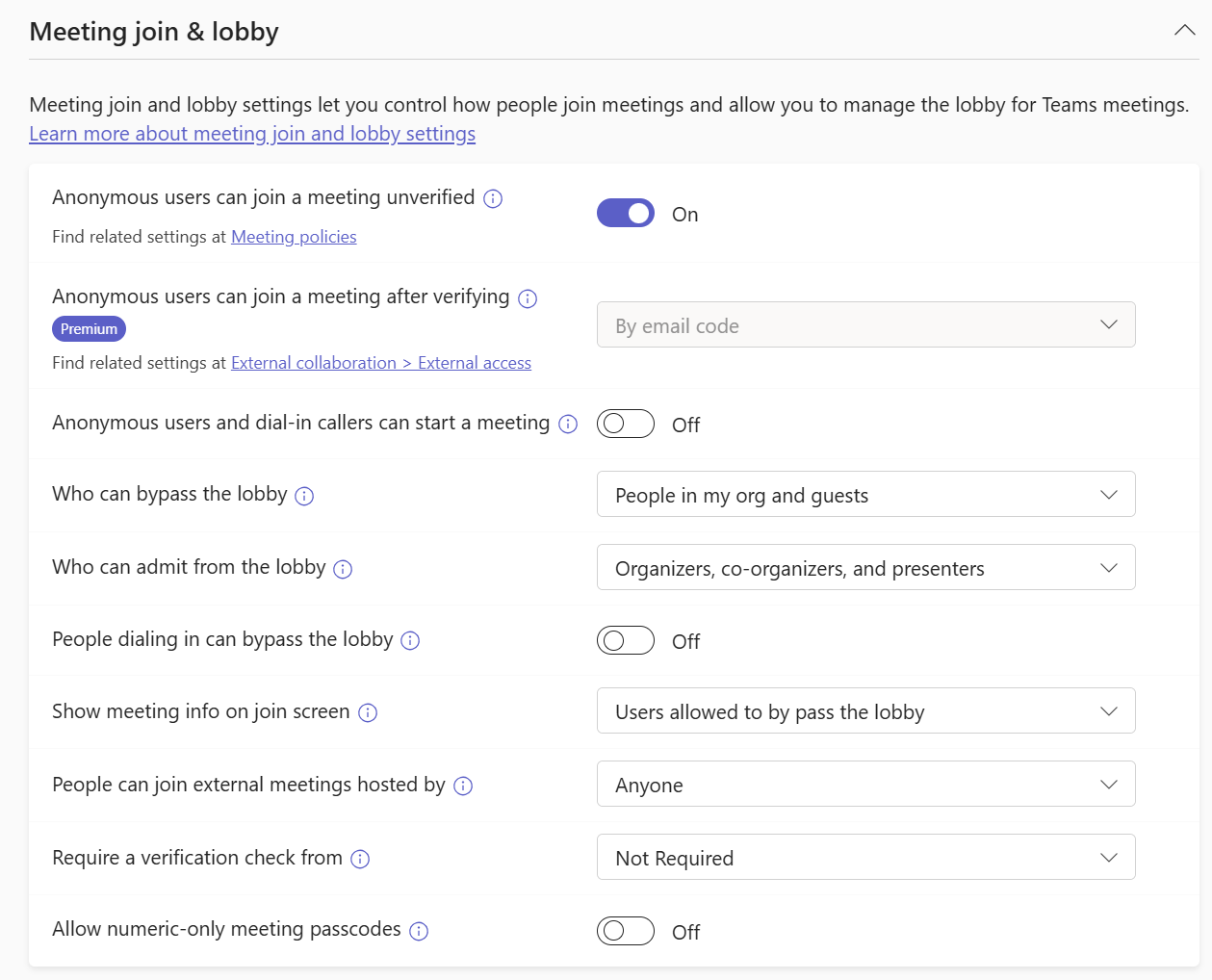
For Teams meetings hosted by your organization, external join outcomes are mostly decided by who the participant is, what your tenant allows, and what the organizer configured for that meeting. If support teams can quickly separate guest, trusted organization, and anonymous join paths, troubleshooting gets much faster.
Microsoft groups external meeting participants into three types:
Guest - The user must exist as a guest in your directory, guest access must be enabled, and they should sign in with that guest account. This is the verified path for people from non-Microsoft 365 organizations.
External - Their Microsoft 365 org and your org must have mutual external access trust, the relevant domains must be allowed or not blocked, and required user-level external access permissions must be in place. Otherwise they may be treated as anonymous.
Unverified - Success depends on whether anonymous join is allowed at the org and organizer policy layers, plus the organizer’s meeting options. If email-code verification is required and completed, they appear as Email Verified.
One of the biggest sources of confusion is that the meeting organizer usually only knows they invited an external person—they do not control or always know how Teams will classify that attendee at join time. The invited person might join as a guest, external/trusted user, or anonymous participant depending on whether they sign in, which account they use, whether their organization has mutual external access configured. If the attendee chooses the wrong identity for the meeting, are not signed into Teams, they may be treated differently than the organizer expected. This leads to join failure or being stuck in the lobby.
Think of external join as a three-layer stack of settings.
Org-wide settings
This is the tenant-level baseline. At this layer, admins decide whether Anonymous users can join a meeting at all. If this is off, anonymous participants cannot join meetings hosted by anyone in the organization.
Per-organizer meeting policy
This is where you narrow who can host what. This is simply a new policy that you create and assign to groups of users. It will override the "Global (Org-wide default)" policy. With Teams Premium, policy can also support meetings where anonymous users join only after email-code verification. This layer is especially useful when different organizers need different rules—for example, broader join access for customer-facing meetings and tighter controls for sensitive internal meetings. Also remember: meeting policy changes can take up to 24 hours to apply.
Organizer meeting options
This is the per-meeting layer. The organizer can fine tune control for specific meetings using Teams meeting options.
- Require unverified participants to verify their info before joining
- Lobby behavior, including who waits in the lobby and who can admit attendees
When an external user cannot join, check these in order:
- What type of participant are they? Guest, trusted organization, or anonymous?
- Are they signed in? If yes, with which account?
- Is org-wide anonymous join enabled?
- What meeting policy is assigned to the organizer?
- Did the organizer enable “Require unverified participants to verify their info before joining”?
- What are the meeting’s lobby settings?
- If they should join as External, do both organizations trust each other?
- Are the relevant external domains allowed or blocked?
- Are user-level external access permissions allowing the scenario?
- If they should join as Guest, is guest access enabled and are they using the guest account?
- If they are dialing in, are they simply waiting in the lobby?
- Was a policy changed recently?
Bottom line
Most external join failures are the result of how identity type, tenant policy, and meeting options intersect. If you anchor troubleshooting in those three ideas—who the participant is, what the organization allows, and what the organizer chose—you can usually explain the outcome quickly and fix it faster.
References
Plan meetings external participants
Trusted organizations external meetings chat
External participants join meeting blocked
Join a meeting without an account in Microsoft Teams
https://support.microsoft.com/en-us/office/join-a-meeting-in-microsoft-teams-1613bb53-f3fa-431e-85a9-d6a91e3468c9

 Microsoft