I hope the OneNote team looks closely at the competition, such as the IPad applications like Evernote. Apple notes. Note ability. etc. I am a longtime user of OneNote on Windows devices as well as iPads. I have HP X360 Windows laptop where I love or using one note. I would have got a Surface Pro device if it wasn't for the extra. Price. Surface Pro. Even the cheapest Surface Pro, is more expensive than the iPad Air 64GB. IPad Air 64GB is cheaper than surface GO device also.
Bottom line is that I am a user of OneNote on both platforms iOS as well as Windows, and as such I have. Some ideas which hope. I hope that Microsoft team will incorporate.
1. Make it easy to draw straight lines and circles directly. Such as in Apple notes, I draw a straight line and hold it and it becomes a straight line. Perfect straight line immediately.
2. Infinity Scroll is a unique feature of 1 node which people using one not love, but there can be one small tweak which can be made. It should be optional, but it should be there. You should allow people to fix the width of the page at least so that we can set it to for example A4 size. Paper with while keeping the Infinity scroll so that later if we want to print out, take a print out, take a PDF, print out or take a hard copy print out of our notes. It does not become a mess.
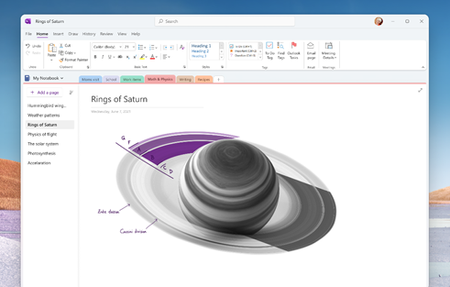
3. Currently the full screen version is best on the OneNote for Windows 10. When I go to full screen on one note for Windows 10 from the store, application 8 becomes full screen but there is a small toolbar on the top of the screen where all my pens are available for easy access. It is not the same in the one note for desktop version where full screen mode hides all the pens and everything and if I have to change the pen or use any other options such as insert space or change width of the page etc. I have to move the mouse pointer towards the top or the swipe in from the top. It is an extra step. It is a hassle. Make it more like one note for Windows 10 or even your own whiteboard application which has a floating toolbar on the right side which can also be shifted to the left or bottom as per our convenience. That is also an excellent application of full screen mode where we have the full screen to use all the space to ourselves. While also having easy access to all the pens.
4. Speaking of pens, the OneNote for desktop version does not have pencils. It only has pen and highlighter. Please include pencils also.
5. In the one note for iPad allow us to collapse the subpages on the left side. It takes up a lot of space and if I have a lot of subpages it becomes a real P ITA to scroll through all the pages and subpages and find the one I am interested in. On the desktop version of one note, it is very easily collapsed, so I can at a glance look at all these topics and if I want to look further into a particular topic, I can. Expand that page to reveal the Subpages which contains the subtopics.
6. These are some of the features which I have come to expect and the problems which I have faced day today while using OneNote on iOS as well as Windows on a regular basis. I really really hope the OneNote team at Microsoft makes the OneNote application on Windows as well as on iPad's the best. Note taking application in the world, it should not give any room to anyone else to become better than it. And the best way to do that, or rather one of the best ways to do that, is to look at the competition white people who use other applications apart from one note to use those applications, talk to those people, see what are the features that damage in one note and see what are the features that they like in those other applications which they don't have in OneNote.