Updated Dec 02, 2021
Version 7.0
Ian Mikutel Microsoft
MicrosoftMicrosoft
Girish Shah
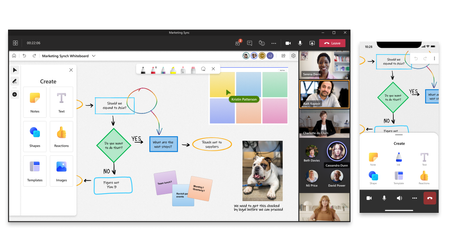
Whiteboards will be stored in the creators ODB, including those created within Teams channels and channels meetings. But in future we will transition to creating and storing any channel Whiteboards in the SharePoint site for the channel.
When someone in the meeting shares the whiteboard, you can see in the bottom left corner who started the board. After the meeting, for boards in ODB you can see on Office.com whose ODB folder the whiteboard belongs in and anyone who joined the meeting will continue to have access to the board.
As content in ODB, we follow the same model, as documented As content in ODB, we follow the same model, as documented https://docs.microsoft.com/en-us/microsoft-365/admin/add-users/remove-former-employee-step-4