Updated Feb 10, 2023
Version 6.0
William Devereux Microsoft
MicrosoftMicrosoftMicrosoft
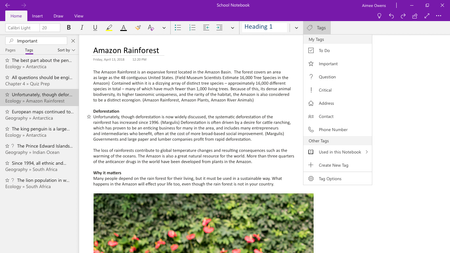
Robert-ATL I have the same 'issue' as jwerwin80 where A> I dislike the default and seemingly only display option of OneNote for Windows 10. B> I do not see the 'Navigation Panes' option you seem to have (could this be an artifact of an older version on your specific machine?).
As a result of this, I constantly have to Hide Navigation to get rid of the visual clutter and regain my screen real-estate. Adds an extra click, but for whatever reason a fairly annoying one :/
Like probably the majority of us taking the time to comment here, I'm a long time and heavy user of OneNote for Desktop. This lack of display customization is unfortunately typical of modern MS app design IMO...cough...Teams...cough...and just a poor UI/UX decision considering the wide array of devices and screen sizes/preferences.
::::::::::::::::::::
OneNote for Windows 10:
Version 16001.11601.20066.0
Brand new Surface Pro 6 running Windows 10 Pro 1809 (domain joined)
Desktop PC running Windows 10 Enterprise 1809 (domain joined)
Both lack this mystery Navigation Panes View option.